Midjourney: Unlock the power of the stylize parameter
The --stylize parameter is a hidden gem in Midjourney that can take your images to the next level. However, not everyone knows how to use it to its full potential.
Let me show you how to unlock its power.
To use the stylise parameter, simple include the following at the end of your prompts “—stylise X” then add a number instead of the X. The parameter allows values between 0 and 1000.
So what exactly does the stylise parameter do?
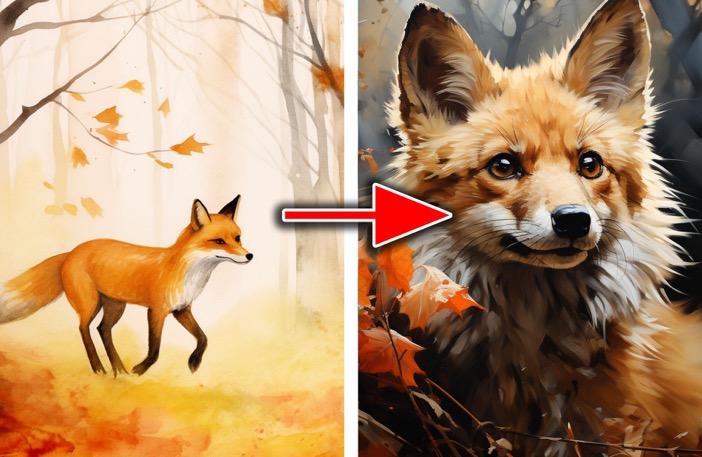
Let me show you with an example made by Chase Lean, which shows both ends of the spectrum:
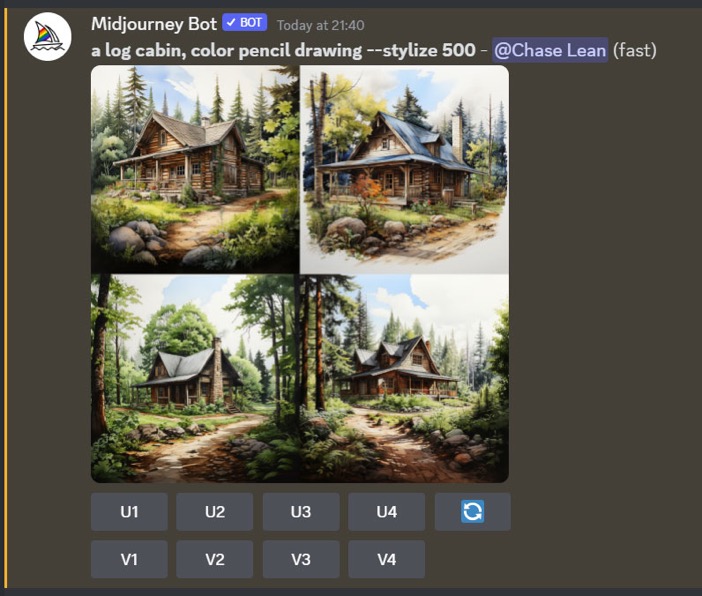
In the below example, Chase used --stylize 500:
But how to decide what stylize values to use?
If you increase the stylize value, the image will:
Examples below:
#1 Images with higher values look more mature and artistic
This applies to art & paintings.
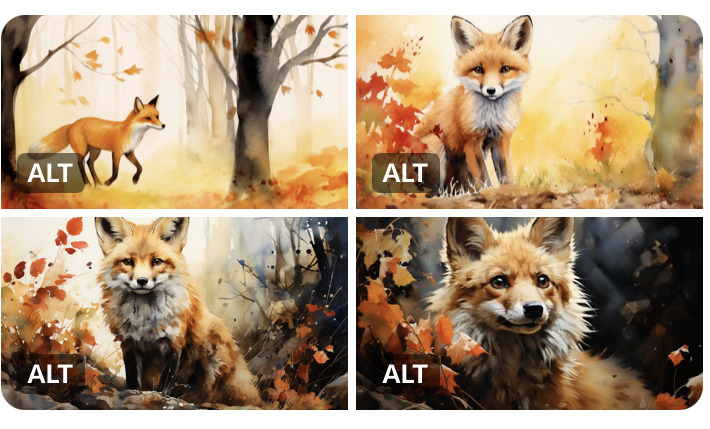
Prompt: closeup of a fox in an autumn forest, watercolor --stylize X
#2 Higher stylize values give more saturated colors and higher contrast
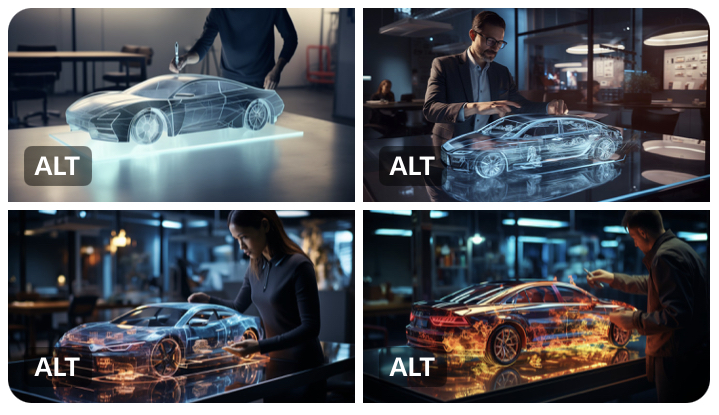
Prompt: a professional standing beside a holographic car on the table, ultra translucent 3d rendering, intricate details, office atmosphere --stylize X
To use the stylise parameter, simple include the following at the end of your prompts “—stylise X” then add a number instead of the X. The parameter allows values between 0 and 1000.
So what exactly does the stylise parameter do?
Let me show you with an example made by Chase Lean, which shows both ends of the spectrum:
In the below example, Chase used --stylize 500:
But how to decide what stylize values to use?
If you increase the stylize value, the image will:
- Look more artistic
- Have more contrast + saturation
- Become more exaggerated and less realistic
Examples below:
#1 Images with higher values look more mature and artistic
This applies to art & paintings.
Prompt: closeup of a fox in an autumn forest, watercolor --stylize X
- Top left: 0
- Top right: 100
- Bottom left: 500
- Bottom right: 1000
#2 Higher stylize values give more saturated colors and higher contrast
Prompt: a professional standing beside a holographic car on the table, ultra translucent 3d rendering, intricate details, office atmosphere --stylize X
- Top left: 0
- Top right: 100
- Bottom left: 500
- Bottom right: 1000