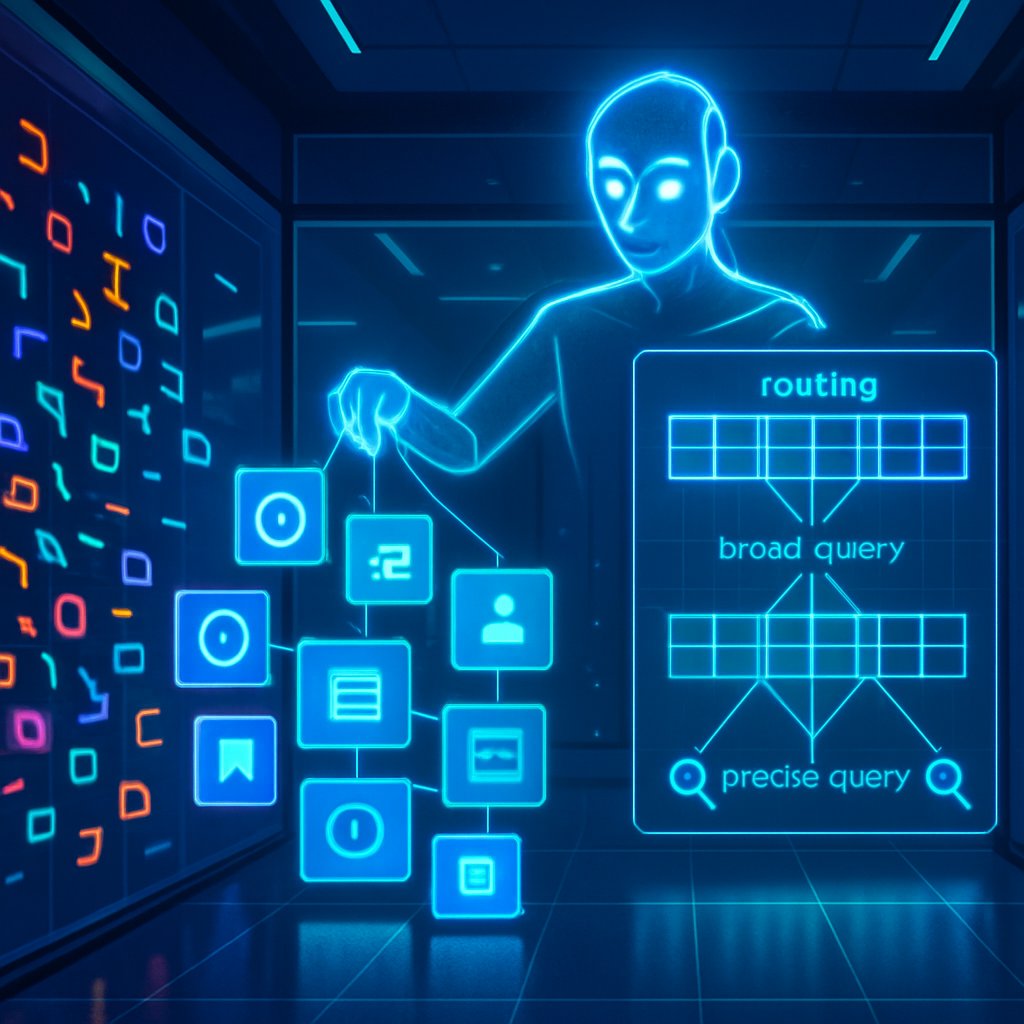
Cracking Log Mysteries: A Clustering-Powered Chatbot that Makes System Logs Spooky-Simple
If you’ve ever stared at a sea of system logs and felt overwhelmed, you’re not alone. Logs are the heartbeat of IT security and operations—telling you what happened, when, and sometimes why. But modern apps and OSes throw off mountains of logs in different formats, making it hard to sift through them fast enough to prevent breaches or troubleshoot issues. This is where LLMs (large language models) get exciting. They can understand language, summarize, and reason across data. The catch? LLMs have quirks: battles with huge log files that don’t fit in a single memory window, and trouble extracting structured information from messy text. Enter LLMLogAnalyzer—a clustering-based log analysis chatbot that pairs machine learning with language models to turn chaotic logs into clear, actionable insights. It’s like having a patient, knowledgeable librarian who can find, group, and explain the right pieces of a massive log archive in a conversation.
In this post, I’m breaking down what LLMLogAnalyzer is, how it works, what the researchers found, and why it matters for security teams, IT admins, and anyone who deals with logs but isn’t sure where to start.
Why log analysis is a puzzle—and what this study tries to fix
System logs are crucial for detecting threats, diagnosing incidents, and improving performance. Traditional SIEMs (Security Information and Event Management systems) rely on predefined rules to spot anomalies. But rules can miss novel threats, require lots of tuning, and don’t always explain their conclusions in plain language.
Machine learning offered a path forward, but it has its own headaches: trained models can require labeled data, be slow on big logs, and often don’t explain their decisions. Early efforts with LLMs to analyze logs faced a bottleneck: context windows (how much text the model can consider at once) and the model’s ability to handle unstructured or specialized log formats.
LLMLogAnalyzer is designed to tackle these challenges head-on. It uses a modular architecture that splits the job into manageable pieces, so the system can process large logs, find meaningful patterns, and answer user questions in a chatty, human-friendly way. The aim: help both cybersecurity pros and non-technical users get accurate, well-referenced insights from their log data without needing a data-science degree.
The high-level idea: combine clustering, retrieval, and chat
Think of LLMLogAnalyzer as a cooperative workflow between traditional data processing (clustering and parsing) and language models (for search, reasoning, and natural-language explanations). The key ideas:
- Turn raw, unstructured logs into structured events using a clustering algorithm called Drain. This creates consistent “templates” for what different log messages look like, along with their variable parts.
- Use a Retrieval Augmented Generation (RAG) setup to let the LLM fetch relevant log pieces from outside its own memory. In practice, this means embedding chunks of logs into vectors and storing them in a vector store so the model can retrieve the most relevant slices when answering questions.
- Route user questions to the right tool and right portion of the log, so you don’t burn through tokens trying to scan everything at once. This routing helps the model stay precise and efficient.
All told, the system aims to deliver accurate, contextual answers with references, even when the underlying log data is huge and diverse.
The architecture in plain terms
LLMLogAnalyzer’s architecture is modular, with four main stages and a few core components working together:
- Indexing (where the log data gets prepped)
- Parsing (where unstructured logs become structured events)
- Query (where user questions are analyzed and routed)
- Generation (where the final answer is produced, with references)
Seven main components keep everything humming:
- Router: Decides how to answer a query and which tools to use
- Log Recognizer: Figures out what kind of log data you’re dealing with (Windows, Linux, macOS, apps, etc.)
- Log Parser: Converts raw logs into structured events
- Search Tools: Three tools for retrieving information
- Keyword search: find logs that contain specific words or phrases
- Event search: find specific events by IDs
- Semantic search: fetch the most relevant chunks using meaning (via vector embeddings)
- Embedding/Vectors: Converts log chunks into mathematical representations for fast similarity search
- Vector Database: Stores the embeddings and supports fast similarity lookups
- LLMs: The conversational brains that understand questions, use the tools, and generate answers with references
A quick mental model: you upload a log file, the system chunks it into bite-sized pieces, converts each piece into a “vector postcard,” and stores them in a searchable library. When you ask a question, the router decides which post cards (or which parts of the log) to pull, and the model weaves an answer that cites the exact log fragments it used.
How the four-stage process actually works
1) Indexing
- The raw log file is split into chunks (about 1024 tokens each) so the system can process them in parallel.
- Each chunk is turned into a vector (a numerical representation) using an embedding model, and stored in a vector database. This enables semantic search—finding notes that are alike even if they don’t share identical words.
2) Parsing
- The system first uses an LLM to identify the log type (e.g., Linux, Windows, macOS, various apps). This avoids brittle regex rules and adapts to diverse formats.
- Once a log type is identified, the Drain clustering algorithm parses the raw text into structured events. Drain groups similar log messages under the same template, tagging each with a unique event ID. The result is a structured, queryable log dataset rather than a wall of unstructured text.
3) Query (routing)
- When you ask a question, the Router analyzes your query and sorts it into one of three tiers based on how much log context is needed:
- All Events: requires full access to the entire structured log
- Partial: needs specific segments or rows
- General: can be answered with the model’s innate knowledge, without log context
- If Partial is chosen, a second routing level refines the approach to one of three search tools: keyword, event, or semantic search.
- Keyword: look for concrete words or phrases
- Event: fetch via event IDs
- Semantic: retrieve the top two most relevant chunks by meaning
4) Generation
- The model receives the chosen prompt template and the retrieved context, then generates an answer with references to the supporting logs. This keeps the answer grounded in the actual data.
A closer look at the search tools (in plain language)
- Keyword search: Think of this as a precise match finder. If you’re investigating an error code or a specific timestamp, this tool hunts for logs containing those exact terms.
- Event search: This is like pulling out a specific incident’s dossier using an event ID. It’s targeted and fast for pinpoint questions about known events.
- Semantic search: Instead of hunting for exact words, this tool looks for meaning. It’s especially helpful when you’re asking high-level questions like “what happened before the outage” and you don’t know the exact phrasing to use.
Everything is designed to work together so the LLM doesn’t have to read the entire log in one go. It can focus on the most relevant chunks and still deliver thorough, well-supported answers.
The “two-level router” magic you don’t want to miss
- Level 1: Classifies the query into All Events, Partial, or General. This decides how much data needs to be consulted.
- Level 2 (only if Partial): Narrows down the retrieval to one of Keyword, Event, or Semantic searches.
This two-level routing helps balance speed and accuracy. It avoids dragging the model through huge volumes of data for questions that don’t require it, while still enabling deep, data-backed analysis for complex inquiries.
Datasets, tasks, and how they were measured
To test its chops, the researchers used four well-known log datasets from Loghub: Apache, Linux, macOS, and Windows (all part of Loghub-2.0). They designed seven log analysis tasks to cover a wide range of real-world needs:
- Summarization
- Pattern extraction
- Log-based anomaly detection
- Root cause analysis
- Predictive failure analysis
- Log understanding and interpretation
- Log filtering and searching
For evaluation, they compared LLMLogAnalyzer against three popular general-purpose chatbots:
- ChatGPT (GPT-4o)
- ChatPDF
- NotebookLM
And they tested two sizes of the Llama-3 model (8B and 70B) to see how model size affected performance. They used the standard metrics cosine similarity (to gauge semantic alignment) and ROUGE-1 F1 (word-level overlap, a common metric for summarization-style tasks). They also looked at robustness via interquartile range (IQR) and outlier rates across multiple datasets.
The results showed clear benefits for the specialized system, with large-model configurations typically delivering the strongest performance.
What the numbers say (in plain language)
- Across seven tasks and four datasets, LLMLogAnalyzer with the big 70B model generally outperformed the baselines by sizeable margins. On average, the 70B version was about 45% better in cosine similarity and 44% better in ROUGE-1 F1 than the strongest baseline across tasks.
- The improvements weren’t just about one task. LLMLogAnalyzer excelled in several areas, notably:
- Summarization (good readability and accurate capture of key events)
- Log filtering and searching (useful for quickly finding relevant entries)
- Pattern extraction (spotting recurring sequences and events)
- Robustness (consistency across datasets) was solid for the 70B model. The researchers observed narrower IQRs for cosine similarity and ROUGE-1 F1 with LLMLogAnalyzer, indicating more stable performance, and relatively few outliers.
- The smaller 8B model performed worse overall, especially in tasks that require nuanced understanding and reasoning. It still showed value in some areas (notably pattern extraction and basic interpretation), but the larger model’s benefits were clear and consistent.
In short: bigger brains (larger models) + smart routing + structured log parsing = more reliable, actionable insights from logs.
Why this matters in the real world
- Accessibility for non-technical users: The system is designed so non-experts can upload logs and have meaningful conversations about them. You don’t need a PhD in data science to get helpful answers.
- Faster incident response: When a breach or outage happens, responders need quick, credible insights. The combination of structured parsing and targeted search tools helps surface relevant evidence fast, with references to the logs.
- Better explanations: The model’s ability to cite exact logs gives teams a trail to follow and audit, which is crucial for security investigations and compliance.
- Flexibility across domains: The log recognizer can handle logs from Windows, Linux, macOS, and various apps, making it adaptable for diverse IT environments.
Limitations and future directions (where this could go next)
- Real-time, enterprise-scale validation: The study is a proof-of-concept. Deploying this at scale—think terabytes of logs daily—will require further optimization of data throughput, response times, and resource use.
- Database and SQL integration: Future work could bring in Text-to-SQL capabilities so users can query logs with natural language that translates into structured database queries.
- Interactive, multi-user interfaces: Supporting collaborative log analysis and richer conversation history would make the tool more useful for teams.
- Benchmarking against specialized log systems: The authors plan to compare against domain-specific solutions like LogPPT, PreLog, LogGPT, DivLog, and ULog to better map where LLMLogAnalyzer fits.
- Parsing accuracy as a critical lever: Since the parser (Drain) is central to structuring data, any improvements here can ripple through the whole analysis—potentially affecting all seven task categories.
- Security and on-premises deployment: The option to run open-source models on-premises can be attractive for organizations with strict data policies. Future work might focus on safeguarding data, latency, and integration with existing security stacks.
- Larger and more diverse datasets: Testing on even bigger or more varied logs (e.g., security-centric logs from CERT, LANL, container environments like Kubernetes) will help validate generalizability.
Practical takeaways: what this means for you
- If you’re wrestling with big, messy logs, a clustering-plus-LLM approach can make the data feel much more approachable. The key is not to dump raw logs into a chat and hope for magic; it’s about turning data into structured, queryable pieces and then using language models to reason over them with guardrails (like citations).
- Look for systems that separate parsing from querying. A dedicated log parser (like Drain) that produces well-defined events makes downstream analysis more accurate and trustworthy.
- Favor architectures that combine retrieval with generation. Retrieval Augmented Generation (RAG) helps keep answers grounded in actual log data, reducing the risk of “hallucinations” (made-up facts) from the model.
- Two-level routing is a smart design pattern for efficiency:
- Level 1: Decide how much data you need
- Level 2: If you need partial data, pick the most precise retrieval method (keywords, events, or semantics)
- If you’re prompting LLMs for log tasks, emphasize grounding references. Ask for citations to the exact log fragments used. It improves trust and auditability, which matters in security work.
If you want to experiment with a prompt strategy of your own, try this approach:
- Start with a broad question (e.g., “What happened around the time of the outage?”)
- Let the router decide whether you need all events, or just a targeted segment
- If you need depth, ask the model to pull specific event IDs or keywords and then summarize with citations
- Request a short, readable summary first, followed by a section with the exact log references used
This mirrors how LLMLogAnalyzer balances depth and clarity: it doesn’t dump the entire log in a single shot; it curates and contextualizes the information while keeping the human in the loop.
Key takeaways
- Logs are essential but overwhelming. LLMLogAnalyzer shows how to make them approachable by turning raw logs into structured data and using smart question routing.
- The system marries clustering (Drain) for reliable log parsing with Retrieval Augmented Generation (RAG) to keep answers grounded in real log data.
- A two-level router (level 1: all/partial/general; level 2: keyword/event/semantic for partial) helps balance speed and accuracy, making the tool efficient for real-world use.
- Larger LLMs (like Llama-3-70B) tend to outperform smaller variants on complex log-analysis tasks, offering stronger reasoning and more robust results, though the smaller model can be viable for simpler tasks.
- Across four common log domains (Apache, Linux, macOS, Windows) and seven analysis tasks, LLMLogAnalyzer outperformed three popular chatbots on average, with notable improvements in summarization and search-related tasks.
- Robustness matters: the approach demonstrated tighter result variability and lower outlier rates on evaluation, which is important for reliable incident response.
- There are practical paths to bring this into real-world environments, including on-premises deployments, Text-to-SQL interfaces, and multi-user collaboration features. The next steps will focus on scalability, parser accuracy, and broader benchmarking.
If you’re curious about how to apply these ideas in your own environment, start by identifying a subset of logs you care about most (e.g., security-related Linux logs or Windows event logs), then explore a modular setup that can parse those logs into structured events and expose a conversational interface for questions you actually ask most often. The LLMLogAnalyzer approach provides a compelling blueprint for turning noisy logs into clear, actionable math-and-meaning—without becoming a barrier to speed or accessibility.
Key Takeaways (short version)
- Logs are not just noise; they’re your best early warning system. A structured, chat-friendly analysis tool can change the game.
- Clustering-based parsing (Drain) plus vector-based semantic search (RAG) helps overcome long logs and diverse formats.
- Smart routing matters: tiered query handling keeps responses fast and precise.
- Bigger LLMs generally perform better on complex log tasks, but smaller models aren’t useless for simpler questions.
- The approach shows promise across multiple domains and tasks, with strong consistency and robustness, and points toward practical, scalable enterprise deployments in the future.
