1
Save
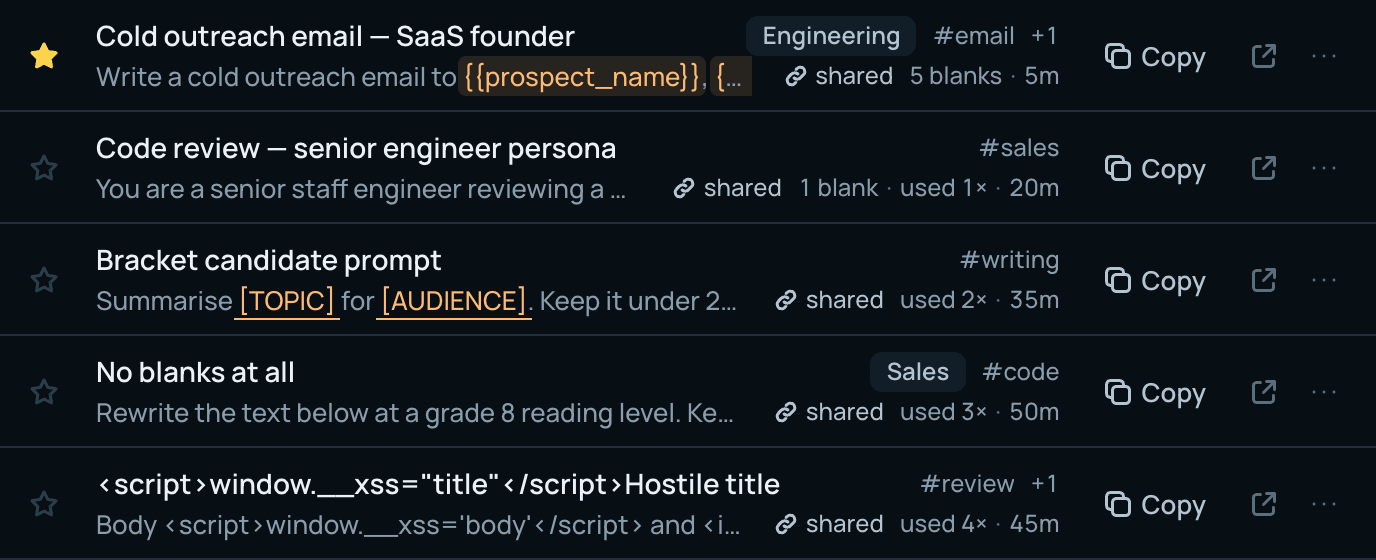
Paste, done. A title is optional — we use the first line. File it in collections and tags now, later, or never. Search covers every word of every prompt.
Instead of scrolling back through a chat history hoping you can still find it.
PromptShare · part of The Prompt Index
Save the prompts that work. Fill in the blanks, send them to ChatGPT, Claude, Perplexity or Gemini in one click, and share any prompt or collection with a link — no account needed to open it.
No limit on prompts on the free plan. No card.
Nothing is saved until you sign up
Three things, done properly.
1
Paste, done. A title is optional — we use the first line. File it in collections and tags now, later, or never. Search covers every word of every prompt.
Instead of scrolling back through a chat history hoping you can still find it.
2
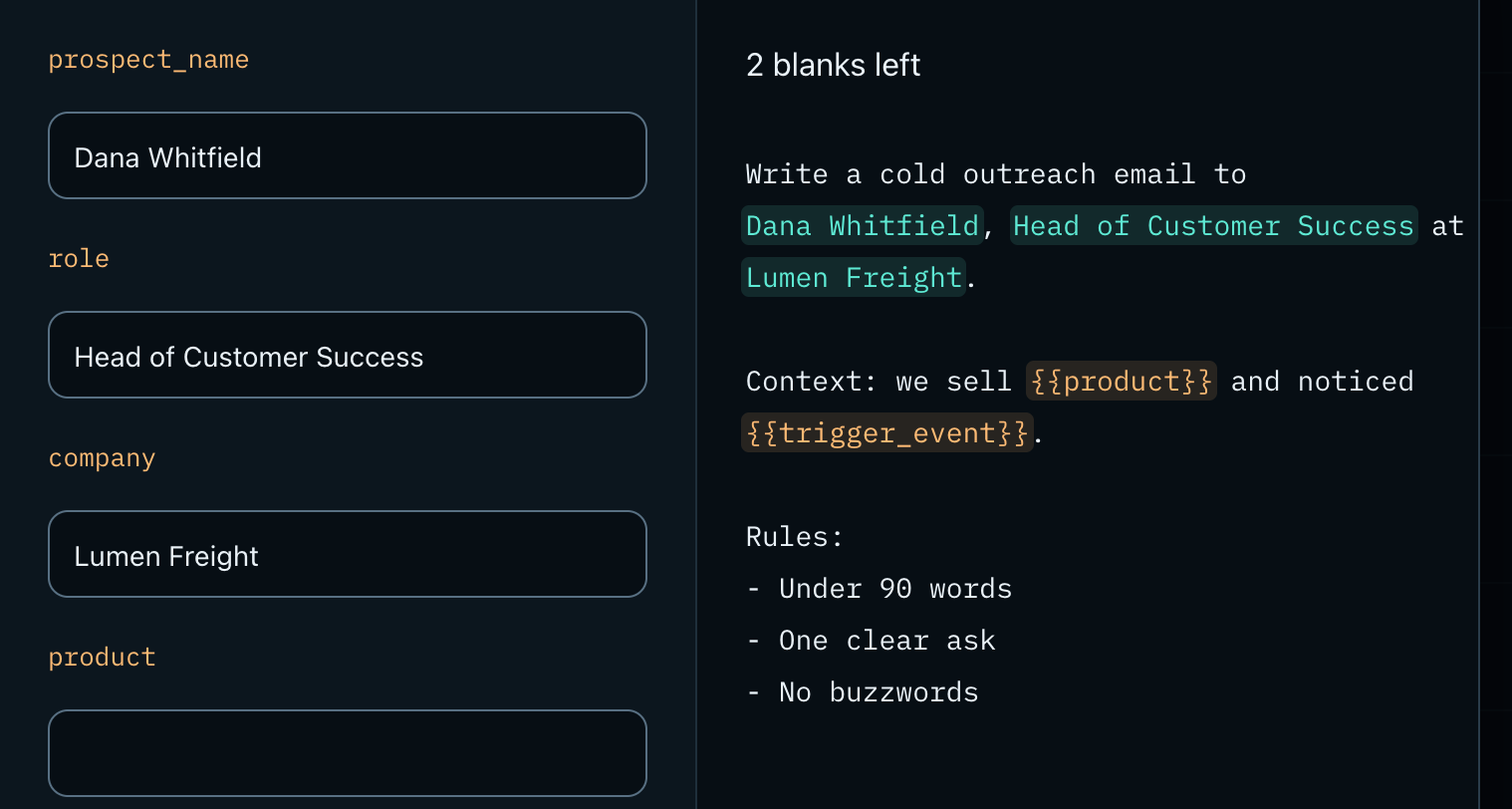
Write {{company}} once and you are asked for it every time you copy. Your last answers are remembered on your device. Then copy, or open the finished prompt straight in ChatGPT, Claude, Perplexity or Gemini.
Instead of pasting the prompt and then editing the same three words by hand, every time.
3
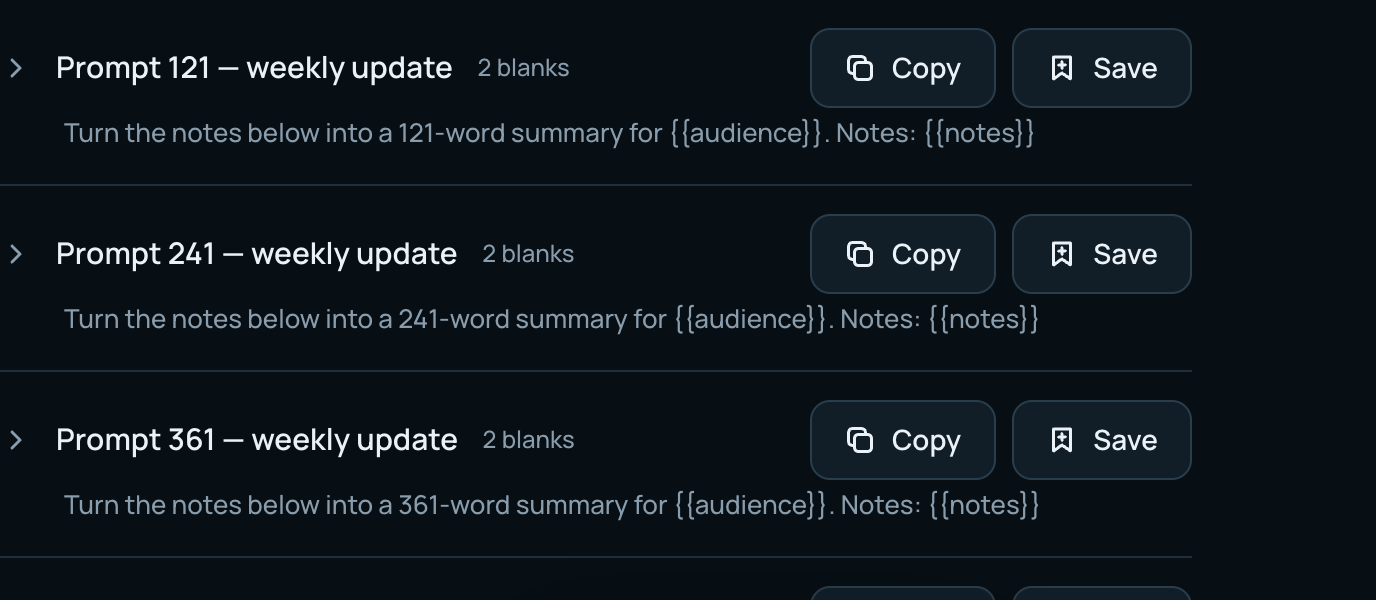
One link, for a prompt or a whole collection. It opens for anyone, without an account. See how many people opened it, set an expiry if you want one, and delete the link the moment you are done.
Instead of pasting a wall of text into a chat and hoping nobody edits it.
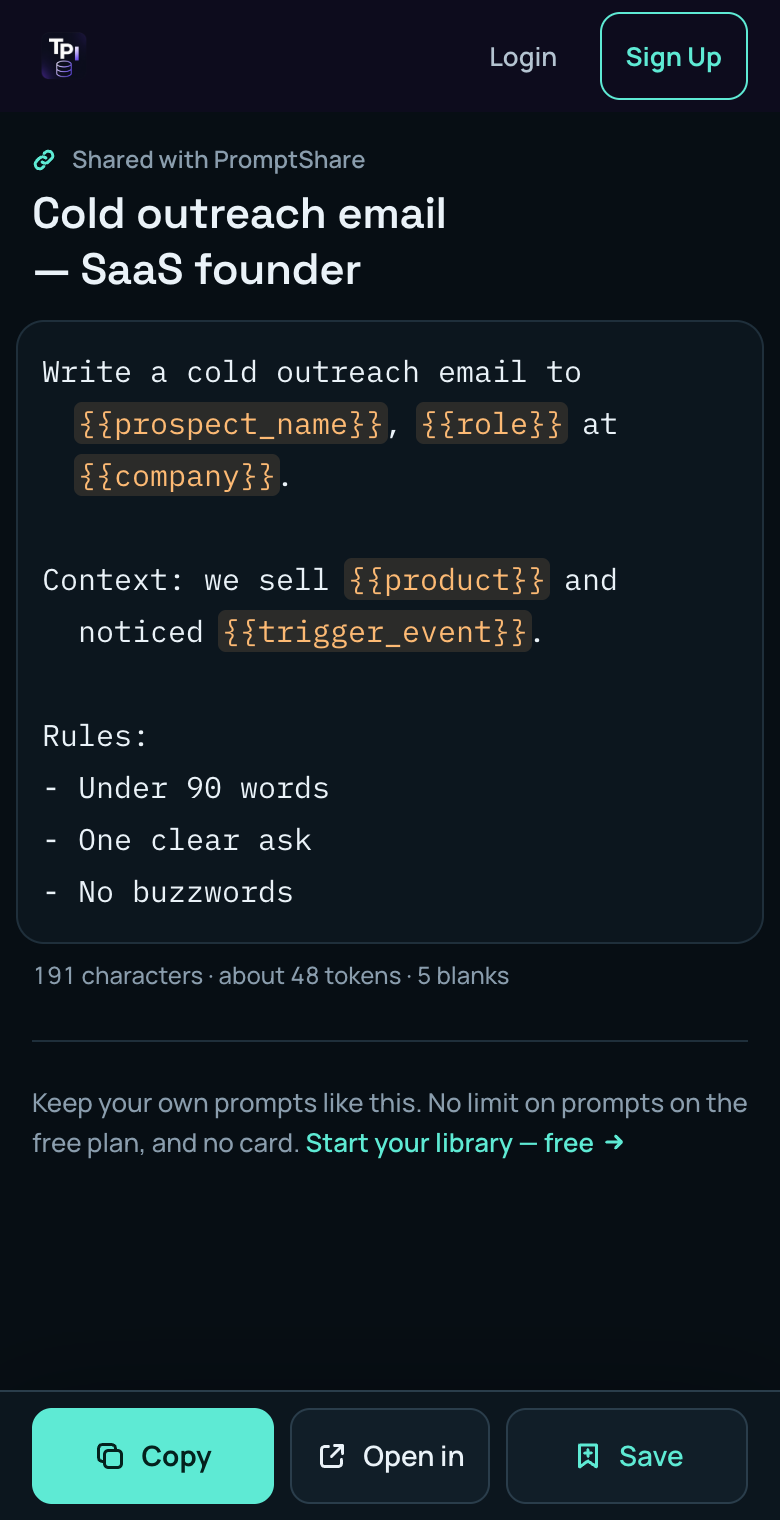
The prompt, straight away. They can fill in the blanks, copy it, open it in their AI, or save it to a library of their own. No sign-up wall.
Links are unlisted: only people you send them to can find them, and search engines are told not to index them.
PromptShare is where prompts from the other tools end up — and where they go back out from.
The library is free. Paid plans add room and more AI help. Your prompts are yours — export is never behind a paywall.
| Free | Basic | Pro | |
|---|---|---|---|
| Prompts, tags, share links | No limit | No limit | No limit |
| Fill in the blanks, Open in… | |||
| Export (JSON, Markdown, CSV) | |||
| Collections | 1 | 10 | No limit |
| Suggest details, per day | 10 | 50 | 200 |
| Check this prompt, per day | 3 | 20 | 100 |
Basic and Pro also unlock the other tools on The Prompt Index.
Yes. Saving, searching, filling in blanks, sharing and exporting are free, with no limit on prompts and no card. Paid plans add more collections and more AI help per day.
No. Anyone with the link sees the prompt straight away and can copy it or open it in their AI tool. They only need an account if they want to save it to a library of their own.
Yes. Delete the link and it stops working immediately for everyone who has it. You can also set a link to expire, or to stop after a number of opens.
No. Links are unlisted: they use a long random code, they are not listed anywhere on the site, and search engines are told not to index them. Anyone you give the link to can open it, so treat it like a link to a document.
Anything you write in double braces, like {{topic}}, becomes a blank. When you copy the prompt you are asked for each one and get the finished text. If you already write [TOPIC], PromptShare can ask for those too — you decide, per prompt.
Any of them — a prompt is text, and Copy works everywhere. ChatGPT, Claude and Perplexity can also be opened with the prompt already in place. Gemini opens ready for you to paste.
Never. What you paste is what is stored, character for character. Blanks are filled into a copy, and the original is left exactly as you wrote it.
Yes, on every plan: everything, one collection, or a selection, as JSON, Markdown or CSV. You can import from the same formats.
No limit on prompts on the free plan. No card.