Data-First AI on the Web: WebSeek's Proactive Guidance
Table of Contents
- Introduction
- Why This Matters
- The Data-First, Mixed-Initiative Vision
- A Framework for Proactive and Reactive Guidance
- WebSeek in Action: Interface, Tools, and Workflows
- Evaluations and Insights
- Key Takeaways
- Sources & Further Reading
Introduction
Imagine doing web-based decision making with your data right there on a canvas, while an AI assistant nudges you with context-aware ideas—yet never overrides your control. That’s the core idea behind WebSeek, a mixed-initiative browser extension designed to make data-driven decisions on the web more transparent, flexible, and efficient. The study behind WebSeek, presented in the paper Facilitating Proactive and Reactive Guidance for Decision Making on the Web: A Design Probe with WebSeek, explores how shifting from a text-centric “chatbot” paradigm to a data-centric collaboration can transform everyday web tasks. This is new research in the sense that it formalizes a design space for proactive and reactive AI guidance that works in tandem with tangible data artifacts, rather than hiding behind a black-box chat interface. If you want to dive deeper, you can check out the original paper here: Facilitating Proactive and Reactive Guidance for Decision Making on the Web: A Design Probe with WebSeek.
The idea is simple to state, but powerful in practice: let users extract, transform, and visualize data from webpages inside a shared workspace—while the AI can proactively suggest next steps or respond to explicit requests. The interface splits tasks into a workspace where you build data artifacts (tables, lists, charts) and an AI guidance view that surfaces context-aware suggestions and chat capabilities. The result is a more integrated, end-to-end sensemaking flow on the web, reducing the friction that often comes from jumping between separate tools like spreadsheets, dashboards, and the browser itself.
WebSeek is grounded in a careful design approach. The authors propose a principled design space for mixed-initiative assistance, balancing two competing needs: giving users reliable, actionable AI help without interrupting their flow or eroding their sense of agency. They also present a taxonomy of data tasks on the web, a tool-based execution model to ground AI actions, and a set of design goals that emphasize transparency, controllability, and a data-centric workflow. All of this is laid out with the goal of making AI-assisted web exploration more understandable and trustworthy for everyday users, not just experts.
Why This Matters
This research arrives at a moment when AI agents are increasingly capable of automating web tasks, but even the best chat-style assistants often fall short on important human-centered needs: transparency, reproducibility, and nuanced handling of data. The WebSeek work argues that for many real-world decisions—like fact-checking a story or comparing products—people benefit from seeing and manipulating the actual data artifacts they're using. Instead of presenting a final answer as an opaque output, WebSeek emphasizes the intermediate data states, exploratory steps, and provenance, giving users “data as the main character” in the collaboration.
From a practical standpoint, the value proposition is clear: in today’s information-saturated web, decision quality often hinges on how well you can discover, extract, clean, join, and visualize data across multiple sources. The traditional, fragmented toolchain—switching between browser tabs, spreadsheets, and visualization apps—imposes cognitive load and risks missing subtle data quality issues. WebSeek directly addresses this by unifying discovery, extraction, wrangling, analysis, and visualization inside a single, browser-based canvas, with AI guidance that’s both proactive and reactive.
This approach also builds on and extends earlier AI research in two important ways. First, it treats data as a first-class citizen, not merely a textual prompt. Second, it pairs an AI assistant with tangible data artifacts and a deterministic, tool-based execution layer to reduce the risk of AI hallucinations and unpredictable outputs. If you’ve followed the AI-for-data-wrangling literature, you’ll recognize a shift away from purely prompt-driven automation toward a hybrid model where AI plans, but concrete tools do the heavy lifting (think “planner + executor” rather than “LLM does everything”). For more context, see the original paper, which situates WebSeek within the broader landscape of web agents, data wrangling tools, and interactive visualization research: the original paper.
The Data-First, Mixed-Initiative Vision
The core vision behind WebSeek is surprisingly simple to grasp but rich in implications: make the data the focal point of human–AI collaboration on the web. Instead of a chat-centric agent that ascends to the top of your screen and then asks you to explain what you want, WebSeek situates data artifacts on a canvas, lets you manipulate them directly, and couples that with an AI that can proactively offer context-aware guidance or react to explicit commands.
Data as a First-Class Citizen
Think of the canvas as a whiteboard where your data lives as tangible artifacts—tables, lists, and visualizations. You can capture data from webpages, edit it in place, perform transforms (joins, reshapes, aggregations), and compose visualizations with Vega-Lite. This approach means you’re not simply issuing prompts to an oracle; you’re shaping the data that the AI will reason about and that you’ll ultimately validate and share. In practice, this reduces ambiguity: you can see, tweak, and confirm each step of your analysis.
Framework and Design Space
The authors present a principled design space to govern when and how AI should intervene. They distinguish micro suggestions (small, quick nudges that speed up current tasks) from macro suggestions (larger, strategic moves like creating a chart or merging datasets). Crucially, AI guidance is presented in two modalities: in-situ (embedded directly in the workspace for immediate action) and ex-situ (peripheral panels with more elaborate plans). The overarching goal is to align AI actions with user intent, while keeping the user in the driver’s seat and preserving a stable, transparent workflow.
Composite Guidance and Tool-Based Execution
A key insight is that AI guidance should often be multi-step and transparent. For example, suggesting a chart isn’t enough if the data aren’t in the right format; a composite plan might include steps like “convert the price column to numeric, then join with the ratings table, then create a scatterplot.” WebSeek makes these composite suggestions explicit, showing the full plan so users can approve, modify, or override any step. To keep results reliable, AI actions are grounded in a fixed set of tools (e.g., tableSort(), convertColumnType(), joinTables()) that the system executes. This tool-based execution dramatically reduces the risk of misinterpretation and makes the entire process reversible and auditable.
Two-Lane Interaction Model
A standout design feature is the dual modality for interaction: you can manipulate data artifacts directly (drag, edit, join, reformat) or communicate with the AI via chat or prompts. The mix matters: direct manipulation is often preferred for precise edits or when accuracy is paramount, while chat or AI-guided steps shine when you want to offload tedious tasks or explore complex transformations. The authors argue for a spectrum of interaction modalities—not a single one—so people with different skills and preferences can still collaborate effectively with the AI.
WebSeek in Action: Interface, Tools, and Workflows
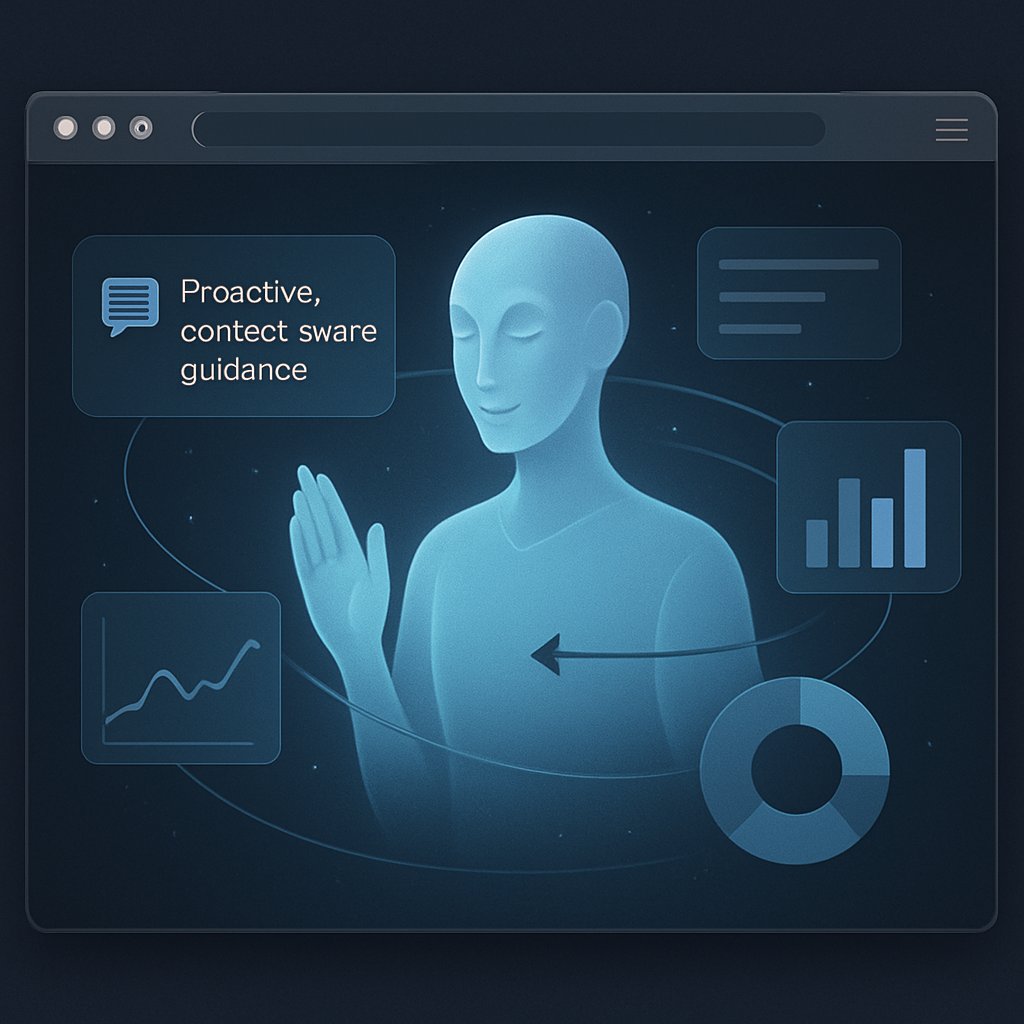
Two views define the WebSeek experience: an AI guidance view and a workspace canvas. The AI guidance surface surfaces peripheral suggestions, in-situ completions, and a chat interface, while the workspace creates a living data workspace with a table editor and a visualization editor. The design is anchored in the following practicalities:
Two-Panel Experience
- AI Guidance View (A): peripheral proactive guidance (A1) plus a chat with the LLM to adjust the state of data artifacts.
- Workspace View (B): a canvas for building data tables (B1-B4) and visualizations (B5). You can directly manipulate these artifacts, edit cells, perform transforms, and manage the data lifecycle from discovery to modeling.
Direct Manipulation and Editors
- Table instance editor supports common spreadsheet-like interactions (double-click to edit, copy/paste, flash fill, sort, filter, etc.) and powerful transformations (map, join, reshape, aggregate). Quick actions appear alongside column headers for frequent tasks, with a dedicated panel for less common operations.
- Visualization editor enables Vega-Lite-based charts. You can drag attributes to shelves to drive the spec, and the system adds interactive features like tooltips, zooming, and panning automatically.
Capture and Source Tracing
- Two web-specific interactions help data provenance: a capture tool that lets you select DOM elements to extract data, and a source view to navigate back to the original data sources. This keeps data provenance tightly connected to its web origin.
Tool-Based Guidance Architecture
- The system implements a library of tools (e.g., tableSort(), convertColumnType(), joinTables()) that the AI invokes via a deterministic plan. The LLM serves as the planner, but the actual data manipulation is carried out by reliable, testable tools.
- Guidance comes in three flavors: in-situ (micro completions inside editors), peripheral (macro, multi-step plans surfaced after short idle periods), and chat-based (reactive, user-initiated assistance).
Design goals and the Eleven Contexts
The design is guided by five goals (DG1–DG5). The team emphasizes grounding AI actions in context, prioritizing a core set of interaction modalities, surfacing multi-step plans transparently, ensuring tool-based execution, and maintaining a user-centered approach that respects the user’s workflow and authority. They also discuss a nuanced “cold-start” problem for proactive guidance: if a user doesn’t trigger an explicit cue, the AI may miss opportunities for higher-level guidance. This honesty about limitations is refreshing and points to a future path where AI could autonomously surface latent improvements without intruding on the user’s flow.
A Practical Walkthrough: The Product-Research Scenario
The paper describes a vivid, end-to-end scenario to illustrate the workflow. A marketer creates a workspace named “Buying a camera,” AI surfaces peripheral suggestions with links to Amazon and eBay, and the user captures product items into a table on the canvas. Proactive suggestions accelerate data extraction (e.g., tab-completing multiple rows and updating column names). The user can then add more attributes (e.g., user ratings, resolution) via chat. With two sources collected, the AI proposes a macro plan to join the tables, including pre-formatting steps necessary to ensure a clean merge. The user then creates a visualization of price vs. rating and, importantly, can navigate back to the source item on the web from the chart to verify provenance. That end-to-end flow—data capture, transformation, visualization, provenance—embodies the value of WebSeek’s data-centric collaboration.
Evaluations and Insights
Technical Evaluation
The authors built a 50-task benchmark, spanning data extraction, wrangling, and visualization across 22 webpage snapshots from 17 domains. They varied data quality to stress-test the system, and tasks were categorized by difficulty (Easy, Medium, Hard) based on lines of criteria like multi-source requirements, multiple transformations, and the need for visualization. A Grok Code Fast 1 (a fast LLM) acted as a virtual user, while humans validated the AI’s guidance.
Key results:
- Guidance latency averaged around 20 seconds from interaction to guidance item.
- The overall accuracy of applied guidance reached 97.2%.
- Most failures traced to data-type misclassifications, tool-call formatting mistakes, or hallucinations (which the system could recover from by regenerating guidance or relying on reactive/manual paths).
Human Study
In a separate exploratory user study (N=15), participants performed two realistic tasks: fact-checking a news story and product research. They ranged from undergraduates to PhD students with backgrounds in CS, AI, engineering, and beyond. Participants used WebSeek to extract data, wrangle it, and visualize results, then justify decisions with data. The overall usability score was competitive: SUS average around 73.1 (on a 100-point scale), with strong confidence and sense of control for both tasks.
Feedback highlighted:
- In-situ guidance and direct manipulation were highly valued for efficiency and precision.
- Chat-based guidance was especially useful for complex transformations (e.g., semantic or multi-step tasks) or when manual steps became tedious.
- Peripheral guidance received mixed reactions: helpful for inspiration or when stuck, but potentially disruptive if the user had a clear plan.
- The integrated environment reduced context-switching and improved understanding of the data, compared to using disparate tools.
- Users appreciated provenance features that connected canvas results back to the original web sources, and they called for more persistent, visible linkages between data artifacts and their sources.
From these findings, the authors conclude that users want a balanced mix of direct manipulation and AI assistance, with a transparent data-centric workflow that preserves control and enables validation at every step. The paper also openly discusses limitations and future directions— notably scale-related context management for LLMs, canvas organization as artifact counts grow, and deeper integration with native web interactions to preserve a natural flow.
Main Content Sections
The following three to four sections distill the core ideas into practical, digestible insights you can apply or reflect on in your own work.
The Data-First, Mixed-Initiative Vision
- Data as the focal point: Instead of treating data as an input to a chat prompt, WebSeek places data artifacts front and center. This mirrors how analysts actually work: they assemble, edit, and reason about data before producing conclusions.
- Mixed initiative as a design principle: AI can propose micro nudges (like automatically completing a few cells) or macro plans (such as suggesting a join and a visualization), but the user retains ultimate control. This balance is essential for trust and efficiency.
- Practical takeaway: If you’re building AI-assisted data tools, consider anchoring your UI around data artifacts and enabling multiple modes of AI involvement. A single chat prompt rarely suffices for complex, multi-step tasks.
A Framework for Proactive and Reactive Guidance
- Four web data task stages mapped to actions: Discovery; Data Extraction & Wrangling; Data Profiling & Cleaning; Data Modeling & Visualization. This taxonomy helps tailor AI interventions to where the user is in the workflow.
- Micro vs Macro guidance: Micro cues accelerate the current action. Macro cues prepare the next strategic moves. The two should appear in complementary channels—micro cues inside the workspace, macro cues in peripheral panels.
- Composite plans for transparency: When a macro action requires several prerequisite steps, present the entire plan so users can approve or adjust it, preserving agency.
- Tool-based execution: Ground AI outputs in explicit tool calls (e.g., convertColumnType, joinTables). This ensures reliability, reversibility, and easier debugging—key for trust in AI-assisted analyses.
- Real-world implication: For everyday web tasks, a hybrid approach—planning by the AI, execution by deterministic tools, and human oversight—can produce robust analyses without sacrificing speed or control.
WebSeek in Action: Interface, Tools, and Workflows
- Canvas-centric workspace: A place where you can create and arrange data artifacts, compare visualizations side-by-side, and trace data lineage back to web sources.
- Two-panel design: AI guidance in a peripheral panel and a workspace canvas for direct manipulation. This separation helps users keep orientation while benefiting from AI suggestions.
- AI prompts grounded in rich context: The system feeds the LLM HTML context, instance state, user focus, conversation history, and a log of recent interactions. While this is powerful, the authors acknowledge the need for more efficient context management in future work.
- Reliability via tools: AI doesn’t directly “state” the final data. Instead, it issues a plan that is executed by a curated library of tools. If anything goes wrong, users can switch to reactive or manual modes to finish the task.
- Real-world application: The product-research example—capturing data from Amazon and eBay, joining datasets, and visualizing price vs. rating—illustrates how a concrete, data-centric workflow can be streamlined with AI assistance while preserving data provenance.
Evaluations and Insights
Technical Evaluation at a Glance
- Benchmark: 50 tasks across 22 web snapshots in 17 domains, with realistic data-quality issues.
- Difficulty distribution: 20 Easy, 20 Medium, 10 Hard.
- Performance: Guidance generation latency around 20 seconds; accuracy 97.2%.
- Failure modes: Data-type misclassification, tool-call format mistakes, hallucinations. The design allows regeneration or fallback on reactive/manual paths, preserving task completion.
User Study Takeaways
- Usability and confidence: SUS ~73.1, high confidence and sense of control across tasks, and broad satisfaction with core features.
- Feature valuations: In-situ guidance and direct manipulation were top-rated for reliability and usefulness; chat-based guidance was highly valued for complex or tricky tasks; peripheral guidance received mixed responses, highlighting the importance of contextual relevance and non-intrusiveness.
- Interaction patterns: Participants combined manipulation, chat, and guided suggestions in varied ways, underscoring the value of multiple modalities to accommodate different tasks and personal preferences.
- Data provenance and trust: The ability to trace data back to its source on the web strengthened trust and understanding of results; participants asked for even stronger, more persistent provenance overlays.
Key Takeaways
- Data-first AI design matters: Centering data artifacts on a shared canvas supports transparency, reproducibility, and user control—crucial ingredients for trustworthy AI-assisted decision making on the web.
- Mixed-initiative works better than purely conversational AI for web data tasks: Users want the AI to assist, but not to replace their judgment. A tiered guidance system (micro, macro, composite plans) respects workflow dynamics.
- Tool-based execution is a smart guardrail: Grounding AI actions in deterministic tools reduces errors and hallucinations, making it safer to rely on AI for data wrangling.
- AI guidance should be context-aware and non-disruptive: Triggering only when relevant signals exist and keeping the UI non-intrusive preserves focus and reduces cognitive load.
- The integrated, end-to-end web workflow is feasible and desirable: Users value a single environment that spans discovery, extraction, wrangling, visualization, and provenance, instead of juggling multiple tools that force context-switching.
- Future work points to smarter context management and deeper native-web integration: As with any early design, there’s room to scale context representation, improve canvas organization, and better link external web content with internal data artifacts.
Sources & Further Reading
- Original Research Paper: Facilitating Proactive and Reactive Guidance for Decision Making on the Web: A Design Probe with WebSeek
- Authors: Yanwei Huang, Arpit Narechania
If you’re curious about how to bring this data-centric, mixed-initiative approach into real-world products, the WebSeek study offers a thoughtful blueprint: start with tangible data artifacts, empower users with both direct manipulation and AI assistance, and ground all AI actions in reliable, observable tool calls. It’s a compelling step toward web agents that are not only capable but also transparent, controllable, and trustworthy—a foundation for the next generation of decision-support tools on the open web.