The Short Answer
AIfred improves short-term learning transfer after help is withdrawn by 60% by projecting AI hints directly next to handwritten work. In the study, it performed comparably to ChatGPT while assistance was available during math.
Practically, that means students can keep solving on paper while guidance appears in the same spatial frame, reducing context-switching between a laptop and the desk.
The benefit depends on spatial co-location—AIfred is most useful when guidance shares the same “frame” as the task (e.g., math steps, drawings, where location matters).
On this page
- Why This Matters
- AIfred’s core idea: co-locating AI guidance with your hand
- How AIfred was tested against screen-based ChatGPT (and what they measured)
- What happened in math: similar during assistance, stronger transfer after help stops
- What happened in drawing: AIfred produced better art, and experts noticed
- Image generation: AIfred can be faster at first, but revisions favor text prompts
- The hidden win: far fewer context switches (even if people didn’t always feel it)
- Limitations and what would need to happen for real-world deployment
- Key Takeaways
AI hints on your paper: meet desk-robot AIfred
(Spatial AI assistance that actually sticks)
Handwriting still has a weird superpower. When you write or draw on paper, you’re not just “getting information”—you’re reformulating it for your own brain. That’s why many learners understand better with notebooks than with screen-only tools. But there’s a frustrating gap with most modern AI assistants: they guide you from a separate screen, while your thinking happens on the desk. So you end up context-switching—looking away from your work to read the help, then translating it back onto what you’ve written.
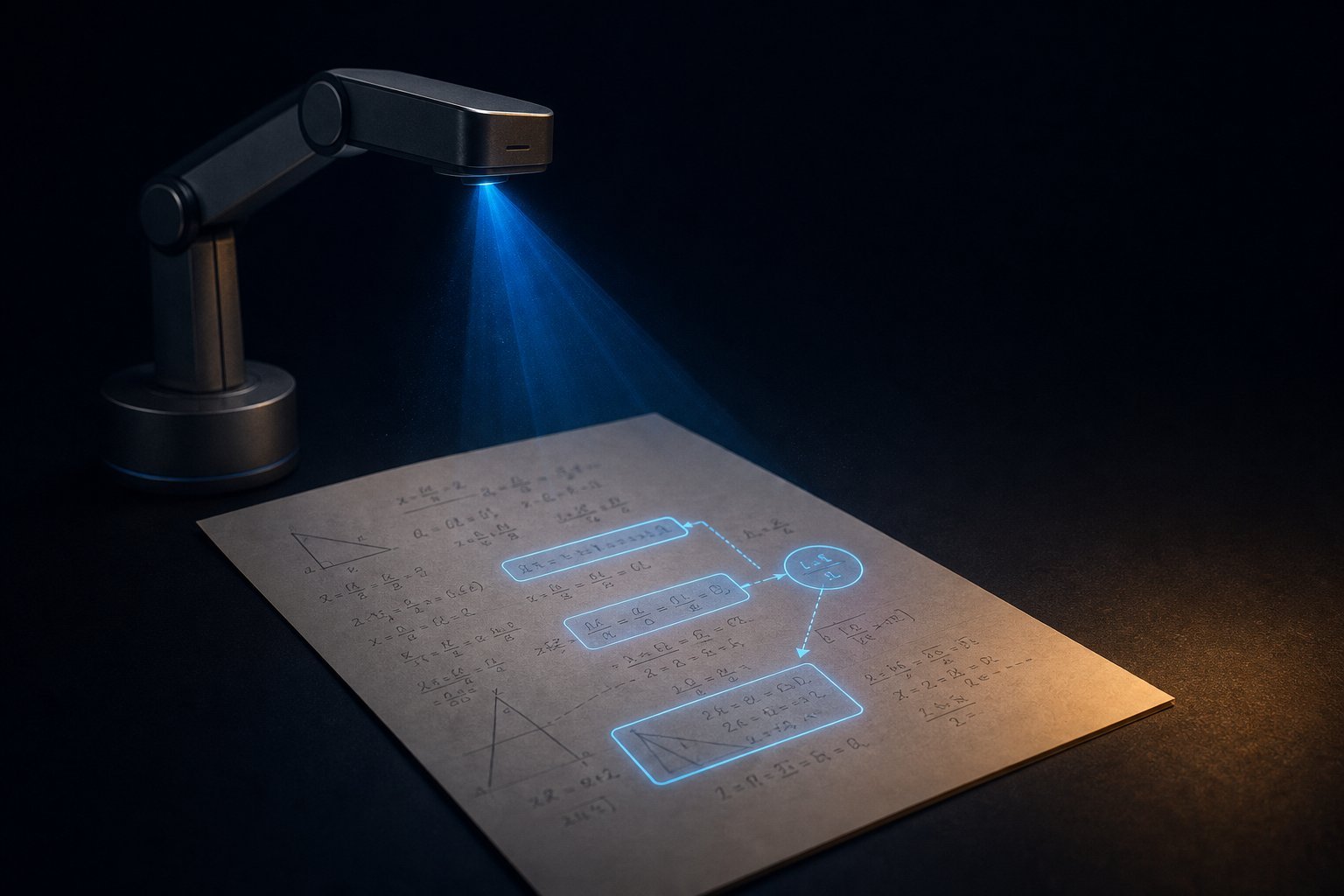
New research from Orlando, Groshev, & Castelló Ferrer on arXiv proposes a different approach: put AI guidance physically next to the work itself. Their system, AIfred—an “augmented learning through functional robotic embodiment at the desk”—uses a robot arm with a projector that places AI-generated hints directly alongside handwritten math, sketches, and drawings. Instead of copying answers from a laptop, you keep working on paper while the guidance appears exactly where you need it.
Why This Matters
This is significant right now because we’re reaching an awkward moment in education and creative tooling: AI can generate explanations and visuals at high quality, but it’s still often delivered in the wrong medium. A screen-based assistant is great for reading and typing—but learning and making are spatial activities. Your brain builds relationships between where things are on the page (a formula’s placement, the angle of a line, the proportions of a sketch). When help shows up somewhere else, you lose part of that spatial “frame.”
AIfred points to a practical scenario that already exists everywhere: after-school math tutoring, test prep, and study groups. Imagine a student solving a quadratic equation on paper. When they point at a step—say, the discriminant part—the system projects the next hint directly beside their equation: a cue for factoring strategy, a reminder about the quadratic formula, or a worked analogy. They don’t have to bounce between a laptop and their notebook repeatedly. And when the assistance disappears, the study suggests they’re more likely to transfer what they learned.
It also builds on a bigger line of HCI research about embedding digital information into physical spaces (think projector-camera desks and spatial augmented reality). But AIfred’s key twist is functional and timely: it combines workspace perception + context-aware generative AI + robot-mediated projection, rather than just projecting pre-scripted instructions. It’s not only “spatial”—it’s adaptive to what you’re doing right then, which is where a lot of AI tutoring can fall apart.
AIfred’s core idea: co-locating AI guidance with your hand
AIfred is basically a desk companion that doesn’t sit next to you—it becomes part of the workspace. The prototype uses:
- A robotic arm positioned at the desk edge
- A mini projector mounted at the arm’s end-effector
- An overhead camera to see your desk and detect when you point to a region
- A motion-capture system (
OptiTrack) to track the robot base and a trackable object you move to indicate where projected content should go
You can think of it like a “smart spotlight” that moves your AI guidance into the exact location of your handwriting. The robot computes how to aim the projector so the overlay stays at a stable projection height over the desk, while the user can reposition where guidance appears.
A spatial assistance pipeline that matches how desk tasks actually work
AIfred uses a three-stage pipeline:
Workspace perception
The overhead camera captures the desk state and the user’s pointing gesture. When you point, it triggers a screenshot of the relevant region.Context-aware content generation
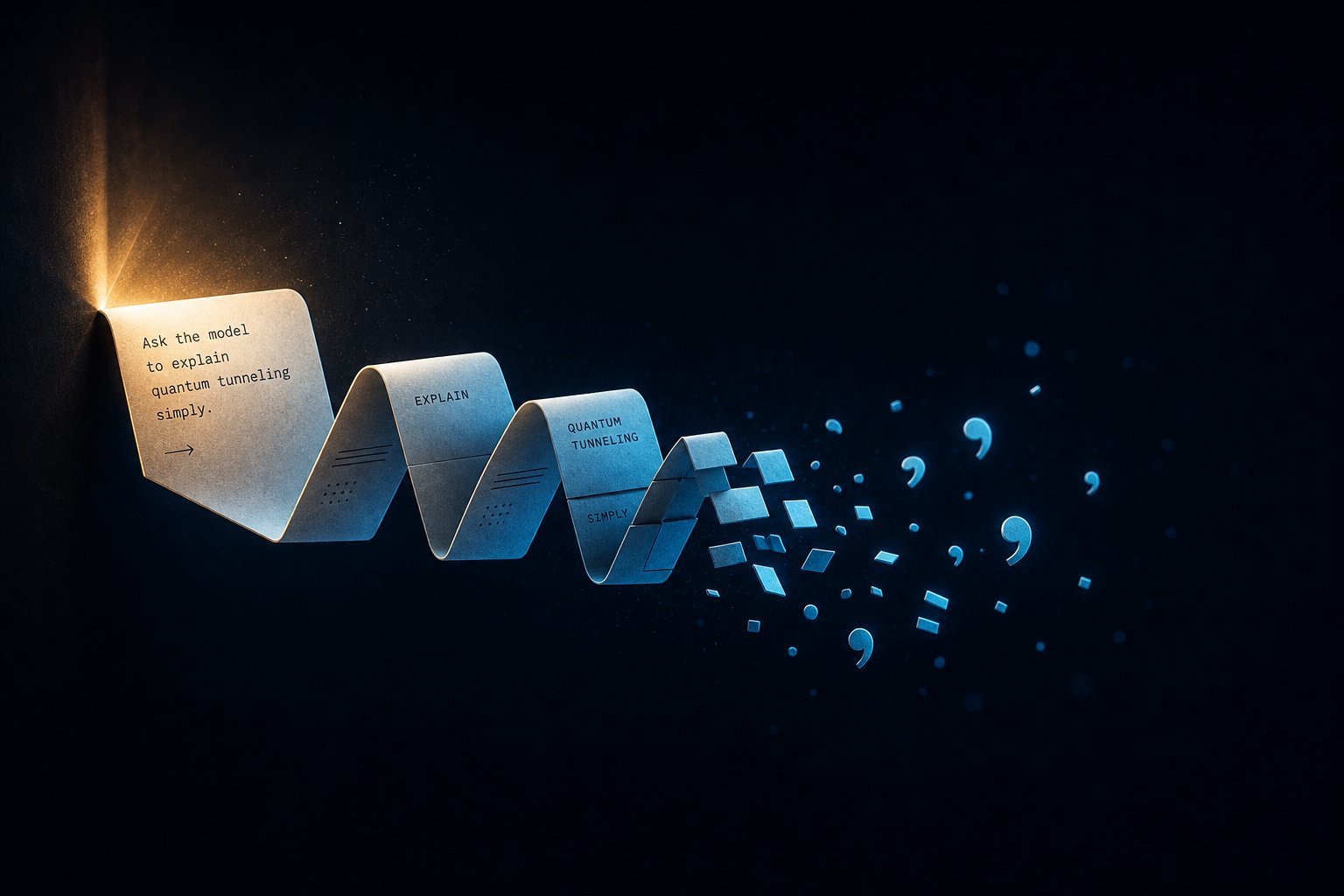
The screenshot goes into a multimodal AI model (via Google’sGeminiAPI) along with the current interaction mode (math, image generation, or drawing). The model generates task-relevant guidance or references.Robot-mediated projection
The robot projects the generated content alongside the area you pointed to—so help and work live in the same spatial frame.
This “spatial co-location” is the whole hypothesis: if the instruction shares the same page geometry as the task, you shouldn’t have to mentally translate guidance back and forth.
How AIfred was tested against screen-based ChatGPT (and what they measured)
To see if this actually improves learning and creativity—not just experience—the researchers ran a user study with n = 36 participants. They compared:
- AIfred (robot-projected, desk-embedded assistance)
- ChatGPT on a laptop (screen-based assistance)
- specified as
GPT-5.6 Lunain the paper summary
- specified as
The study covered three desk-based interaction modes:
- Math assignment: solve quadratic equations on paper (learning assistance via hints)
- Image generation: transform a physical sketch into a digital image
- Drawing: draw a figure (car, motorbike, lion, elephant), either unaided or with projected help
The mixed design: assistance on first tasks, then transfer and crossover
Participants followed a workflow designed to test both performance with help and learning without help:
- They started with math assignment + image generation using their assigned system.
- Then they completed three drawing tasks in sequence:
1) baseline with no assistance
2) assistance with their assigned system
3) assistance with the opposite system (crossover) - Finally, they did an additional math assignment without assistance about 35 minutes later.
That last part is crucial: it tests short-term learning transfer, meaning whether the explanation/hinting helped participants solve new problems independently afterward.
What outcomes they looked at (quality, transfer, behavior, and experience)
They measured several things, including:
Outcome quality
- Drawing: ranked by 3 independent art/design professors
Agreement was high (Kendall’s W = .86). - Math: graded by 4 independent
Gemini Flash 3.6rubric agents
Rubric covered 8 criteria, score on a1–10scale.
- Drawing: ranked by 3 independent art/design professors
Short-term learning transfer
- performance on the second math problem without assistance
Context switching
- observed visual shifts between physical desk materials and the laptop screen
- plus a subjective “perceived context switching disruption” rating
Task time and task completion behavior
- including how many image modifications were needed for sketch-to-image
User experience
- perceived learning support, cognitive demand, productivity, innovation, satisfaction, and disruption
A clear model-for-model comparison (where the “gap” lives)
| Aspect | AIfred (desk-embedded) | ChatGPT (screen-based) |
|---|---|---|
| Where guidance appears | Projected alongside your handwritten work | Shown on a separate laptop screen |
| Alignment | Shares the page’s spatial frame | Requires mental re-alignment back to paper |
| User interaction trigger | Point to desk region → robot projects relevant help | Type/read instructions → then apply to paper |
| Core educational hypothesis | Co-located guidance improves transfer | Screen guidance leads to context switching |
What happened in math: similar during assistance, stronger transfer after help stops
Let’s start with the math task, because it tells you whether AIfred is just “nicer,” or whether it changes learning.
During assistance: AIfred and ChatGPT were comparable
When participants had assistance available during the first math assignment, scores were similar:
- AIfred: 6.7 / 10
- ChatGPT: 7.3 / 10
- difference not significant (
p = .41)
So with help on-screen, ChatGPT can match AIfred in immediate performance.
But after assistance is withdrawn: AIfred held its advantage
Here’s the big difference. When participants later completed a second math problem without any assistance (about 35 minutes later):
- The group that used ChatGPT first dropped to 4.4 / 10
- The group that used AIfred first scored 7.0 / 10
That’s a 60% higher short-term learning transfer score for AIfred compared to ChatGPT, with statistical significance (p = .003).
Interpretation (in plain language): it’s one thing to follow a hint while it’s available. It’s another to internalize the reasoning so you can reuse it. AIfred seems to help participants stick to the thinking process on paper rather than treating help like something to copy from a screen.
Why math didn’t show a huge gap during assistance
The paper discusses a key nuance: symbolic reasoning can be “read from a screen” without heavy spatial alignment, because you can mentally hold the information and apply it back on paper. In contrast, spatially aligned guidance matters more when the task itself depends on ongoing visual alignment (which shows up strongly in drawing, coming next).
What happened in drawing: AIfred produced better art, and experts noticed
Drawing is where AIfred’s spatial premise really pays off.
Professors preferred AIfred in 33 out of 36 cases
Participants produced three drawings:
1) baseline with no assistance
2) assistance with their assigned system
3) assistance with the opposite system (crossover)
Three independent art/design professors ranked drawings from 1st (best) to 3rd (worst). The results:
- Baseline (no assistance): ranked 3rd in 31/36 cases (86%), and never 1st
- With ChatGPT: ranked 2nd in 28/36 cases (78%), 1st in only 3, and 3rd in 5
- With AIfred: ranked 1st in 33/36 cases (92%), 2nd in 3, and never 3rd
Statistical tests confirmed the differences across conditions (Friedman χ² = 57.06, p < .0001), with pairwise comparisons showing significance (with one exception that compares baseline vs ChatGPT).
Qualitatively, the AIfred-assisted drawings showed improvements in overall form, proportions, and line quality.
What “better” means here: spatial comparison during creation
Drawing requires constant micro-decisions: line weight, angle, placement relative to other shapes. When reference guidance is projected directly on the page, you can compare it without repeatedly refocusing away from your sketch.
This matches the paper’s core mechanism: co-location reduces “breaks” in visual alignment. Every time you look away to a laptop and then back, you have to re-map the reference mentally onto the paper.
Image generation: AIfred can be faster at first, but revisions favor text prompts
For sketch-to-image transformation, both systems were close enough that the story is more nuanced.
The paper reports completion time relative to the number of image modifications requested. AIfred tended to be faster for 1, 2, and 3 modifications, but ChatGPT became faster around 4 modifications.
Why? The paper offers a simple explanation:
- AIfred’s initial interaction can be faster because you can point directly at your sketch (avoiding some overhead like capture/upload).
- But subsequent revisions require physically modifying and re-rendering the sketch each time.
- ChatGPT, by contrast, can revise rapidly via text prompts.
On average, completion time was:
- AIfred: 167 seconds
- ChatGPT: 208 seconds
- not statistically significant (p = .32)
Practical implication: If your use case looks like “make one good version,” AIfred may feel snappier. If you expect many iterative refinement cycles, screen-based AI still has advantages.
The hidden win: far fewer context switches (even if people didn’t always feel it)
AIfred also changed behavior in a way that’s hard to ignore: it drastically reduced switching between physical desk materials and the digital screen.
- Average observed context switches
- AIfred: 1 switch
- ChatGPT: 63 switches
- That’s a 98% reduction with AIfred.
Interestingly, participants did not strongly perceive this as disruptive:
- perceived context switching disruption (lower was better)
- AIfred: 1.3 / 5
- ChatGPT: 1.7 / 5
- difference was small (but the paper notes
p = .03)
Takeaway: the cost of switching can be invisible to the person doing it. You might not consciously feel the fragmentation, but it still affects outcomes—lower short-term transfer and lower drawing quality for ChatGPT users show up alongside those behavior differences.
This is one of those findings that should change how we evaluate AI tutoring tools: don’t only ask whether users feel disrupted; measure the switching that happens underneath.
Limitations and what would need to happen for real-world deployment
This prototype worked in a controlled setup using OptiTrack motion capture to locate the robot and a tracked desk object. That’s great for research (fast to prototype), but it means the exact system may not be plug-and-play in homes or classrooms tomorrow.
The authors also point out a clear direction: replace motion capture with vision-based tracking so the system can operate without specialized lab hardware.
Another limitation: the robot is designed primarily for functional projection, not expressive behavior. Future work could explore more engaging robot behavior—movement that communicates state—though the paper’s current goal is more basic and more important: do spatially co-located projections help? The evidence here suggests yes, especially for tasks that share a spatial frame with guidance.
Key Takeaways
- Spatially co-located AI assistance works—especially when the task is spatial. AIfred projected AI guidance next to handwriting, avoiding the screen-to-paper gap.
- Math performance during help was similar, but short-term learning transfer was much better with AIfred:
7.0 vs 4.4 / 10 after assistance was withdrawn (p = .003). - Drawing quality strongly favored AIfred. Art/design professors ranked AIfred drawings 1st in 33 of 36 cases (92%).
- Context switching dropped dramatically: about 1 switch with AIfred vs 63 with ChatGPT (98% reduction), even though users reported low perceived disruption.
- Screen-based AI still has strengths for iterative refinement, especially in image generation where text prompts can support quick revisions.
- What you can apply today (conceptually): if your learning/creative workflow depends on page geometry (math steps, sketch proportions, diagrams), tools that keep guidance in the same visual frame are likely to help more than screen-only prompts.
If you’re curious, the full work is on arXiv here: https://arxiv.org/abs/2609.38737.
Sources Used
This article is a plain-English breakdown of the following peer-reviewed preprint. Read the original for full methodology and results:
- AIfred: Augmented Learning through Functional Robotic Embodiment at the Desk — arXiv
- Authors: Authors: Gregorio Orlando, Milan Groshev, Eduardo Castelló Ferrer