Cinematic Lotus Ancient Painting
GPT Image 2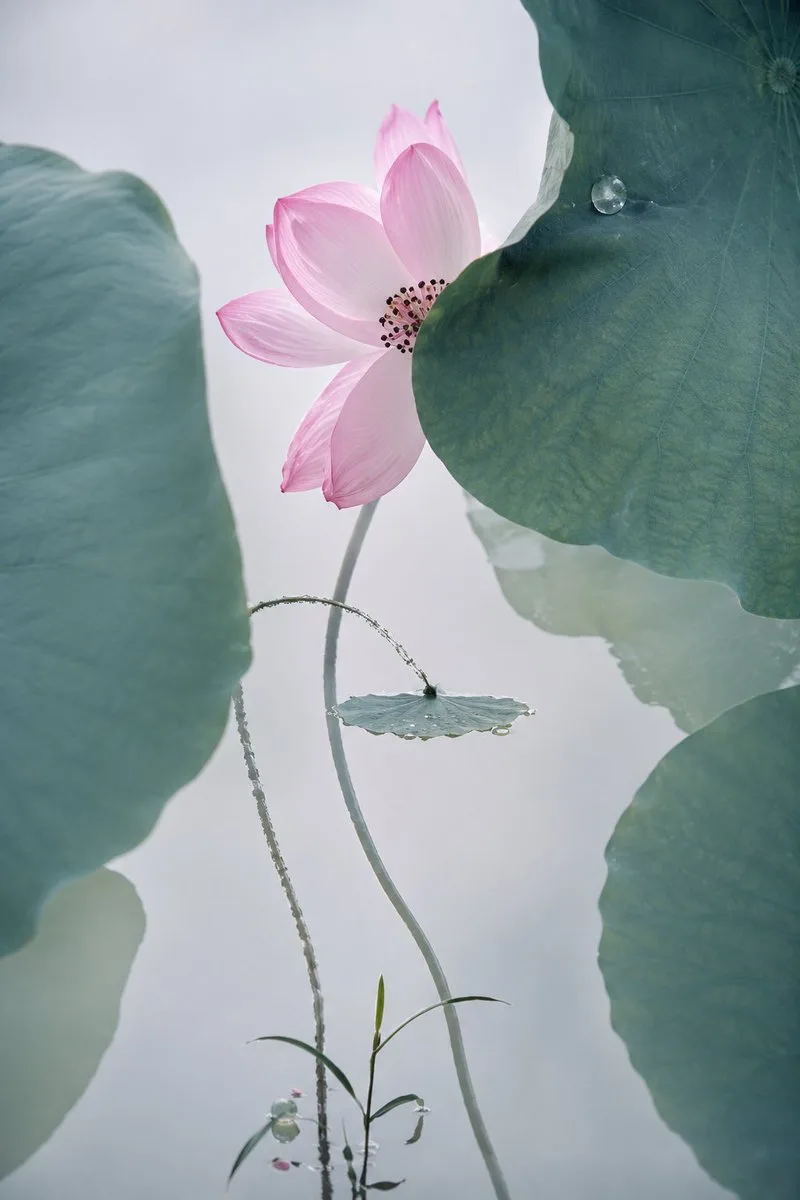
Create a vertical cinematic fine-art restoration style image of an ancient Chinese lotus painting brought into photoreal life: one pale pink lotus blossom with about 8 broad translucent petals and a dark seed-and-stamen center, partially hidden behind a huge blue-green lotus leaf on the upper right. Compose the scene with exactly 4 prominent lotus leaves: 1 oversized soft-focus leaf filling the left edge, 1 oversized crisp dark teal leaf in the upper right with a single round water droplet, 1 oversized soft leaf cropping in from the lower right, and 1 small flat round leaf near the center with tiny dew along its rim. Add exactly 3 main stems: 1 tall smooth curved stem supporting the pink flower, 1 thin arcing hairy stem looping toward the small center leaf, and 1 delicate grasslike sprout rising from the bottom with narrow leaves and tiny buds. Use {argument name="flower color" default="soft pale pink"}, {argument name="leaf color" default="muted blue-green teal"}, {argument name="background tone" default="misty pale gray-white"}, and {argument name="visual style" default="cinematic photoreal ancient Chinese ink-painting aesthetic"}. The atmosphere should be quiet, poetic, elegant, and minimal, with shallow depth of field, soft diffused backlighting, visible leaf veins, subtle mist, delicate dew, natural botanical textures, gentle contrast, and a high-end cinematic macro-photography quality. Keep the composition spacious and vertical, with no text, no border, no people, and no modern objects.
Dark Japanese Recipe App UI
GPT Image 2
Goal: Create a realistic dark-mode mobile cooking AI assistant interface showing recipe suggestions generated from fridge ingredients, in Japanese. Canvas: Vertical smartphone screenshot, approximately 4:5 crop, black outer background with a centered app feed column. Use rounded corners, soft shadows, and a premium food-app aesthetic. Layout: At the top, place one rounded dark charcoal chat bubble containing Japanese assistant text. Below it, show a vertically scrolling list of recipe cards. Exactly 2 recipe cards are visible: the first card is fully visible, the second card is only partially visible at the bottom. Text content: The top chat bubble says: 「冷蔵庫の食材を活かし、フライパン一つで完結する健康的な10種のレシピをご提案します。味付けや調理法が重ならないよう、バリエーション豊かに構成しました。」 The first recipe card title says: 「鳥手羽元のエキゾチック酢煮込み」. Its description says: 「かんたん酢とニンニクを効かせた、中東風の爽やかでコクのある煮込みです。手羽元が驚くほど柔らかく仕上がります。」 The link text says: 「レシピを見る」. Card details: Recipe card 1 has a large food photo on top and a dark information panel underneath. The photo shows {argument name="main dish" default="braised chicken drumettes with sliced onions in a light brown sauce"} served in a shallow beige ceramic bowl on a warm wooden table, photographed from a slightly overhead angle with natural restaurant lighting. Add black pepper specks on the chicken, glossy sauce, and soft depth of field. Place exactly 1 circular white heart-outline favorite button at the upper-right corner of the image area. The information panel below is very dark brown-black with the title in bold white, description in muted gray, and the recipe link in pale pink. Second card: Show only the top portion of a second recipe card beneath the first, separated by vertical spacing. It should include a large cropped food photo showing a bowl of creamy pale-yellow noodles or soup on a wooden table, with exactly 1 circular white heart-outline favorite button at the upper-right corner. Do not show its title in the crop. Visual style: Modern Japanese recipe app UI, dark theme, rounded 18–22 px cards, subtle borders, soft shadows, high-resolution food photography, clean sans-serif typography. Use warm browns, beige ceramic, black charcoal panels, and muted pink accent text. Constraints: Include exactly 1 top chat bubble, exactly 2 visible recipe cards, and exactly 2 heart favorite buttons total. Keep the interface realistic and uncluttered, with no extra icons, navigation bars, watermarks, or English UI text.
Korean Doodle Style Custom Calendar
GPT Image 2
Here are the GPT commands! Please use this photo to create a desktop calendar for {argument name="year" default="January-December 2027"}. Format: {argument name="page format" default="A4 vertical"}. Features: {argument name="art style" default="Korean illustration style"}, distinct character features, natural expressions, full-body composition, dynamic poses, exquisite clothing details, hand-drawn doodle style, splatter brushstrokes, free lines, a mix of pastels and ink, comic sketch texture, simple white background, symbolic elements around the edges, strong atmosphere, high detail, high quality.
Latte Photo With Emotional Doodles
GPT Image 2
Goal: Create a vertical social-media image where a realistic cafe photo is overlaid with playful hand-drawn imagination doodles, as if emotions and thoughts are spilling out onto the scene. Canvas: Vertical 9:16 composition, close-up perspective, warm shallow-depth-of-field photography. The main subject is {argument name="drink" default="a latte in a brown ceramic cup"} on a dark wooden table, sitting on a gray square coaster. The latte art is a large creamy heart shape in the foam, with golden-brown espresso crema around it. Background is softly blurred with a dark plate and pastry near the top edge. Visual style: Keep the base image photorealistic, cozy, warm, and slightly moody, with natural cafe lighting and visible foam texture. Add energetic mixed-media doodles on top: white marker handwriting, black brush lettering, red and yellow crayon strokes, arrows, sparkles, hearts, underlines, scribbles, and tiny cartoon stick characters. The doodles should feel spontaneous, imperfect, emotional, and layered over the photo, not digitally polished. Doodle text and labels: Include exactly 9 handwritten text callouts around the cup: 1) “why is this so good” in white at upper left with a pink heart and underline, 2) “BRO???” inside a speech bubble above the cup, 3) “LAST DANCE” in large black brush letters at upper right with yellow emphasis marks and a pink underline, 4) “this part tho...” on the left with a yellow arrow pointing to the latte surface, 5) “THIS IS CRAZY” in a speech bubble near the lower-left latte foam, 6) “WE STAYING HERE” in a speech bubble on the right side of the latte art, 7) “wait— look at this” on the right with a pink arrow pointing to the foam, 8) “silky smooth” at lower left with a white arrow pointing to the cup rim, 9) “layers on layers” inside a yellow circle at the bottom center with an arrow up to the cup, and 10) “that shine tho” at lower right with a white arrow pointing to the glossy foam. Tiny character count: Add exactly 5 small doodled cartoon people interacting with the latte: 1) one standing on the upper rim with arms raised and a speech bubble saying “BRO???”, 2) one tiny red-capped character on the left rim pointing toward the foam, 3) one sliding down the latte surface on white drawn slide lines with the speech bubble “THIS IS CRAZY”, 4) one sitting near the right-center latte art with the speech bubble “WE STAYING HERE”, and 5) one on a small ladder at the right rim looking toward the foam. Decorative doodle count: Add exactly 15 extra decorative marks around the scene: a small red star at upper left, two yellow stars near the lower left, one pink crown above the “LAST DANCE” text, one yellow lightning bolt on the right, two blue sparkles at lower right, one pink heart near the bottom, one white spiral scribble at bottom left, one yellow oval swirl at bottom left, one small beige spiral at bottom right, two long pink swoosh lines across the bottom, one long yellow swoosh near the bottom, and one short white scribble near the top left. Constraints: Preserve the latte and table as a normal realistic photograph while making only the surrounding world visually noisy and imaginative. Use {argument name="main lettering phrase" default="LAST DANCE"} as the largest readable text. Keep all handwriting legible, rough, and hand-drawn. No watermark, no border, no extra UI elements.
Space Mission Technical Artifacts
GPT Image 2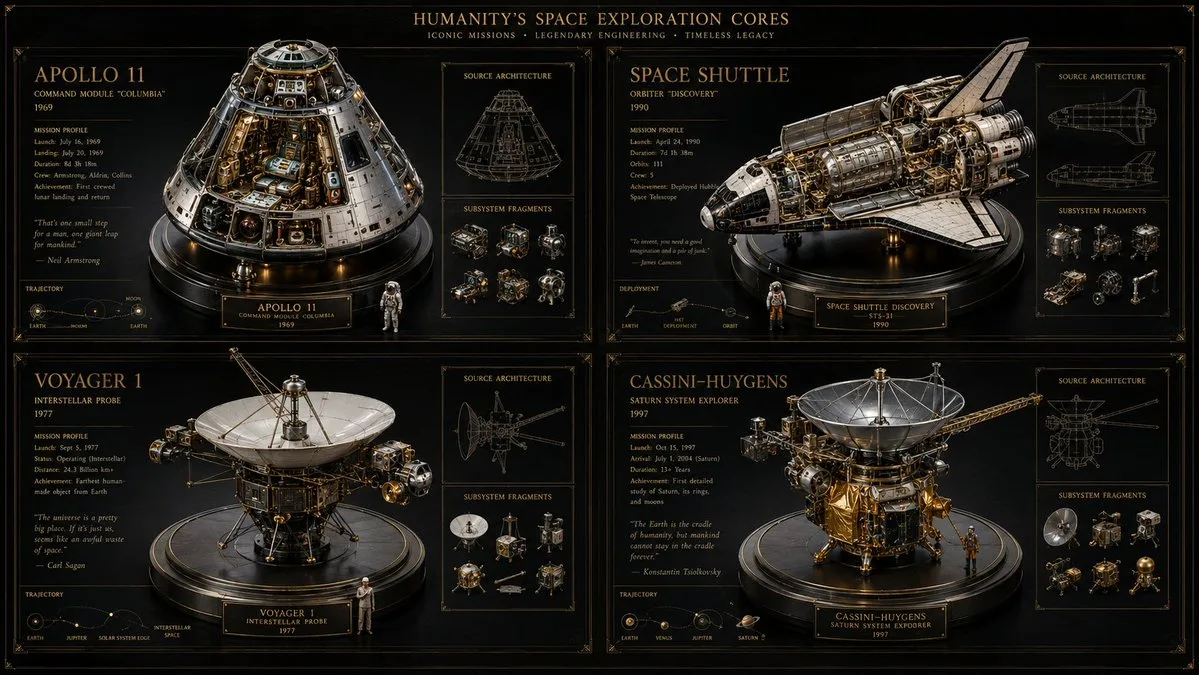
16:9, do this for 4 famous space missions: void main() { string[] subjects = {"{argument name="subject one" default="[SUB_1]"}", "{argument name="subject two" default="[SUB_2]"}", "[SUB_3]", "[SUB_4]"}; // Setup Materials vec3 bg_mat = pure_black_matte(); vec3 ui_ink = unlit_metallic_gold(depth: 0.0); vec3 sculpture_mat = pbr_metal(brass, chrome) + refractive_glass(IOR: 1.5); // Setup Viewports (2x2 Grid) vec4 canvas = clear(bg_mat); for(int i=0; i<4; i++) { vec2 quadrant = get_grid_cell(i, columns: 2); // Render 3D Centerpiece mat4 reliquary = build_intricate_model(subjects[i], sculpture_mat); render_to_cell(quadrant, reliquary, lighting: museum_spotlight); // Render 2D UI Overlays vec3 wireframe = generate_blueprint(subjects[i]); vec3 text_data = infer_specs_and_quotes(subjects[i]); draw_hud(quadrant, wireframe + text_data, material: ui_ink); } // Add Global Text draw_hud(header, "{argument name="mission theme" default="[THEME]"} CORES", material: ui_ink); fragColor = canvas; }
Blank Face Anime Portrait Base
GPT Image 2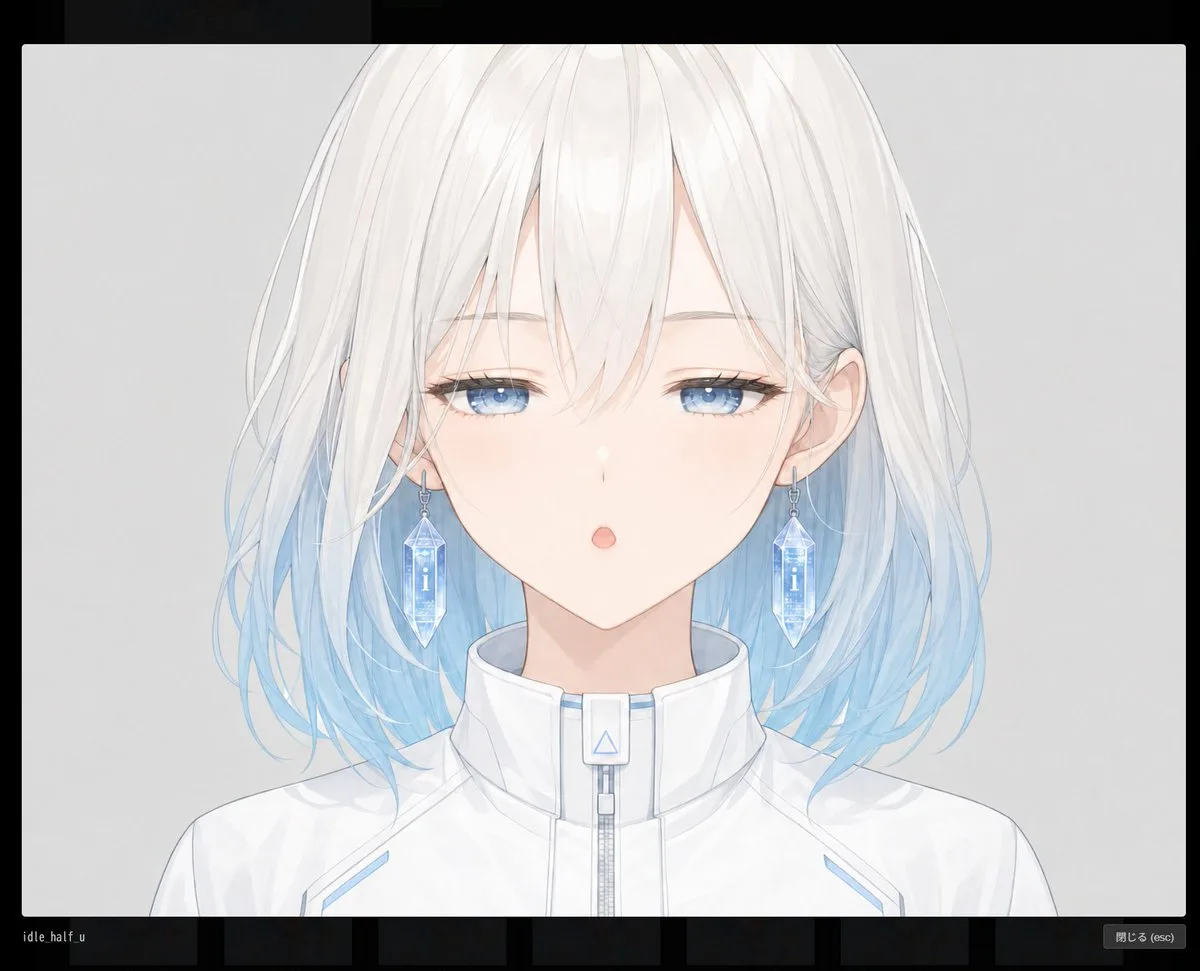
Create a clean anime-style character base portrait for modular facial-part generation: a centered front-facing bust of {argument name="character name" default="an unnamed young woman"} with a deliberately empty face area covered by a large vertical rounded rectangle mask, so the eyes, nose, and mouth are absent and can be added separately later. The character has shoulder-length soft layered {argument name="hair color" default="white hair fading into pale ice blue at the tips"}, airy translucent strands, long side locks, subtle loose curls, and visible ears partially covered by hair. Use a pale skin tone and a calm neutral pose, cropped from the top of the head to the upper chest. Dress her in a futuristic high-collar {argument name="outfit" default="white zip-up jacket"} with light blue accents, a central zipper, a small rectangular collar tab with a blue triangle symbol, and delicate seam lines. The blank face mask should be exactly one large central rounded rectangle, softly filled with a vertical gradient from warm pale peach near the top to cool pale blue near the bottom, aligned over the facial features and extending from the forehead area down past the chin, while still showing hair and ears around it. Background is a simple light gray studio backdrop with soft lighting, thin refined line art, watercolor-like anime rendering, gentle shadows, high resolution, no text, no UI, no watermark, and no extra facial features visible inside the blank mask.
Sapporo Apocalypse Manga Page
GPT Image 2
Goal: Create a dramatic vertical manga page about a supernatural apocalypse in modern Sapporo, where a purple rift opens in the sky, a giant demon descends, and a schoolgirl hero with robotic allies prepares to fight. Canvas: Tall comic page in a 3:4 vertical ratio, full-bleed artwork with thin white gutters and black panel borders. Use a polished high-detail anime/manga style with cinematic lighting, saturated neon colors, dense city detail, and intense action composition. Layout: Use exactly 3 horizontal panels stacked vertically. Panel 1 occupies the top third, Panel 2 the middle third, and Panel 3 the bottom third. Add exactly 4 white jagged manga speech balloons with vertical Japanese text. Panel 1: Nighttime downtown Sapporo cityscape seen from street level, crowded with shocked pedestrians looking upward. The Sapporo TV Tower stands on the left, glowing orange with signage reading “30-24 SAPPORO.” Above the skyline, the sky has split into a massive swirling purple vortex filled with lightning, stars, debris, and a single red reptilian eye at the center. Include exactly 2 speech balloons: one small jagged balloon on the left reading {argument name="left reaction text" default="なんだあれ!?"}, and one tall jagged balloon on the right reading {argument name="sky warning text" default="空が割れてる!!"}. Panel 2: The vortex ruptures over a neon Japanese city intersection. A colossal demonic kaiju emerges from the purple storm, filling most of the frame. It has a muscular black-and-purple body, glowing red eyes, huge curved horns, ornate organic armor, clawed hands reaching toward the street, and a circular glowing sigil embedded in its chest. Cars crash and flip in the foreground, sparks and explosions scatter across the road, people run in panic, and buildings with neon signs frame both sides. Include exactly 1 tall jagged speech balloon on the right reading {argument name="demon proclamation" default="人間界ヲ焼キ払エ・・・!"}. Panel 3: Hero reveal composition under a cherry-blossom-like shower of pink petals and purple cosmic light. Center foreground: a Japanese high school girl hero, {argument name="hero name" default="unnamed schoolgirl"}, standing confidently with long black hair blowing in the wind; her face is softly obscured or not sharply detailed. She wears a navy school blazer, white shirt, red ribbon tie, plaid skirt, and holds a glowing pink energy katana angled downward across the foreground. Around her are exactly 3 mechanical allies: 1 white robotic wolf with blue glowing eyes and blue cybernetic armor at lower left, 1 bulky gorilla-like armored robot with blue eyes and a huge red glowing cannon fist at lower right, and 1 silver-blue winged mecha bird hovering behind her on the upper right. The Sapporo tower is visible again in the background. Include exactly 1 white oval speech balloon on the left reading {argument name="hero line" default="また始まったか・・・"}. Visual style: Hyper-detailed Japanese action manga/anime illustration, glossy digital painting, dramatic perspective, neon purple apocalypse lighting, electric effects, particles, debris, high contrast, intricate linework, cinematic depth, crisp panel art. Constraints: Keep exactly 3 panels, exactly 4 speech balloons, exactly 3 robotic allies, and no extra captions or narration boxes. Preserve the Japanese text exactly as written inside the balloons. Do not add watermarks, artist signatures, UI elements, or English subtitles.
Luxury Drink Advertisement Poster
GPT Image 2
Generate a breathtaking luxury poster for {argument name="beverage name" default="mountain dew"} drink using proper Fibonacci method (without showing lines) and method s use perfect character and explosion expression and use Fonts that are used by professional graphics designers and be creative craft a unique masterpiece.
Exploded Food Infographic Composition
GPT Image 2
Create a hyper-realistic exploded vertical infographic composition of {argument name="food item" default="tacos"}. Top → Bottom structure: Fresh Lettuce (crisp green texture with natural folds) → Tomato & Salsa Layer (juicy diced tomatoes and salsa mix) → Melted Cheese (smooth cheddar texture) → Grilled Meat Filling (juicy seasoned meat detail) → Taco Shell Base (crispy golden shell texture) Perfect vertical alignment, rustic background, soft studio lighting, realistic shadows beneath each floating element. Add clean infographic text labels with thin pointer lines using these exact labels: “Lettuce” “Salsa” “Cheese” “Meat” “Shell” Ultra-detailed food textures, premium commercial aesthetic, 8K.
Melancholic K-Drama Subway Poster
GPT Image 2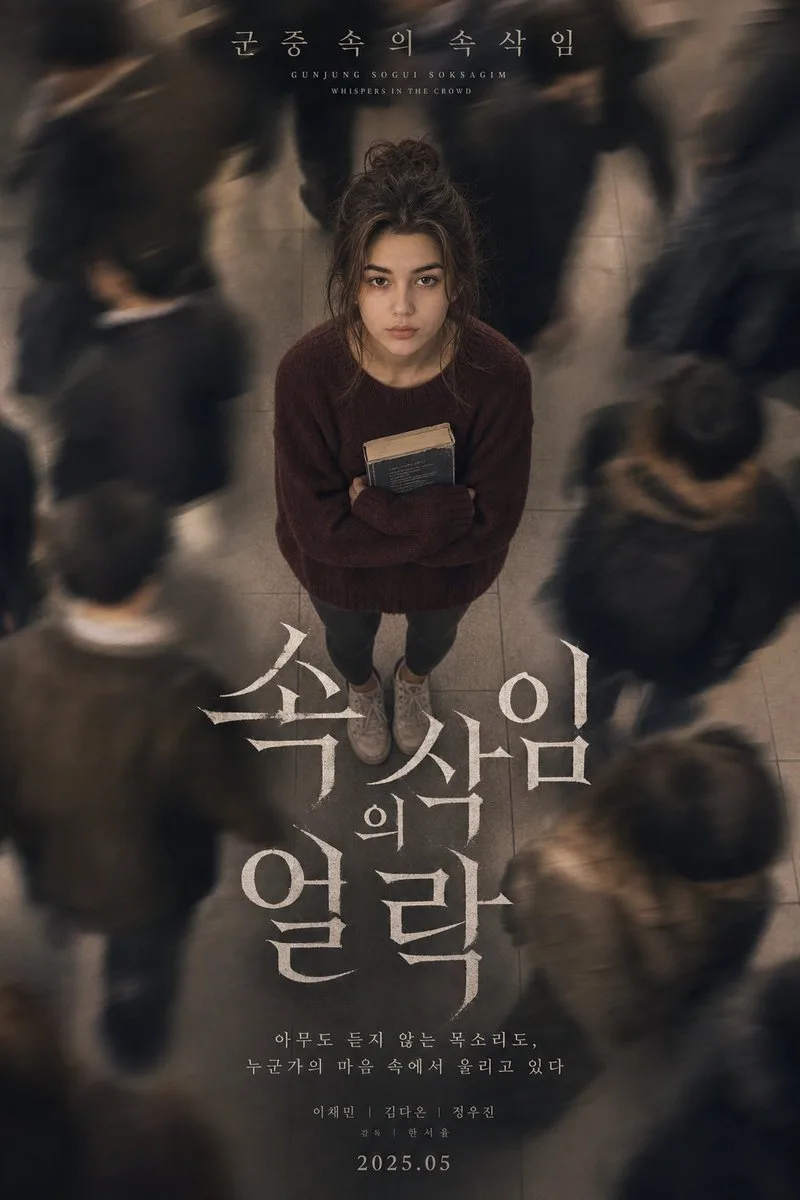
A melancholic Korean psychological drama poster featuring a beautiful young woman with facial features, expression, and proportions preserved exactly as in the original reference photograph. Do not alter identity or proportions. She has long soft black hair styled in a messy, undone bun with stray strands framing her face, pale skin, and a calm but emotionally exhausted expression while staring directly upward into the camera. She wears a loose, oversized burgundy knit sweater and simple dark grey leggings with worn-out white sneakers. She is clutching a well-loved, slightly battered paperback novel to her chest. The camera angle is positioned from a high overhead perspective, looking down toward her while dozens of commuters blur around her with heavy long-exposure motion trails, creating a feeling of isolation and emotional detachment. The environment features cold gray subway tiles, muted city tones, and cinematic atmospheric blur. At the top of the poster, elegant Korean typography reads: "{argument name="subtitle" default="군중 속의 속삭임 (Gunjung Sogui Soksagim - Whispers in the Crowd)"}". Below, large dramatic Korean title typography dominates the center composition in white textured lettering. The image contains soft cinematic haze, subtle analog grain, realistic motion blur, muted warm-beige grading, emotional K-drama aesthetics, delicate skin texture, and realistic shallow depth of field. Shot on a Sony A7R IV using a 50mm lens with slow shutter speed, soft tungsten subway lighting, cinematic realism, luxury Korean drama poster composition
Red Cable Car Over Misty Water
GPT Image 2
Create a serene surreal landscape illustration at dawn: a single vintage red cable-car gondola hangs from three diagonal black cables running from the upper left toward the center-right, suspended above an endless mirror-smooth flooded plain. The gondola is boxy with large windows, a dark roof frame, and a small metal tower and pulley assembly above it; it sits in the left third of the square composition, slightly above center. The water below creates a clear but softly rippled inverted reflection of the gondola, support tower, and cables. In the misty distance on the right half, show exactly five pale stone ruin arches rising from the water: one large tall arch near the right edge, one medium arch closer to center, two very small faint arches near the horizon, and one thin partial arch far right; all reflected vertically in the water. Use a pastel morning palette of {argument name="sky color" default="soft blue"}, blush pink, lavender haze, and warm peach light, with the horizon nearly dissolved into fog. The sky is vast and minimal with delicate horizontal pink cloud streaks on the upper right. Style should feel like a dreamy cinematic digital painting with subtle painterly brush texture, atmospheric perspective, soft gradients, calm symmetry, and no people, no birds, no text, no watermark. Square 1:1 composition, quiet “good morning” mood, high detail in the gondola and cables, softer detail in the distant ruins.
Chibi Desktop Pet Sprite Sheet
GPT Image 2
Goal: Create a simple chibi game sprite sheet for a desktop pet character, showing exactly 6 full-body sprites of the same anime girl aligned in one horizontal row. Canvas: Wide landscape canvas, about 690 x 613 px, with a flat bright chroma-key green background filling the entire image. Leave large empty green space above and below the sprite row, and place the characters across the upper-middle area. Character design: A petite chibi anime girl named {argument name="character name" default="Codex desktop pet"} with very pale skin, oversized head, short white-silver bob hair, small ahoge curl on top, long side locks, and purple flower hair ornaments on both sides with thin black ribbon tassels. She wears a white gothic-lolita maid-style dress with dark navy-black trim, puff sleeves, a bow at the collar, purple floral embroidery near the hem, a short flared skirt, black garter-like strap details, white knee socks, and chunky white lace-up boots with dark soles. Use clean 2D anime rendering, soft cel shading, crisp outlines, and a cute toy-like proportions style. Sprite count and poses: Include exactly 6 discrete character sprites, evenly spaced left to right, all facing forward and standing upright with small variations in arm and body position. The 6 sprites are: 1) front-facing neutral standing pose with face area covered by a square gray placeholder block, 2) front-facing neutral standing pose with face area covered by a square gray placeholder block, 3) front-facing neutral standing pose with face area covered by a square gray placeholder block, 4) front-facing neutral standing pose with face area covered by a square gray placeholder block, 5) front-facing visible face pose with closed eyes and a calm sleepy expression, no placeholder block, 6) front-facing neutral standing pose with face area covered by a square gray placeholder block. Placeholder blocks: On 5 of the 6 sprites, cover the facial area with a vertical rectangular soft gray censor/placeholder block. Each block should be centered over the face, with a light gray-to-pale lavender gradient and slightly soft edges, hiding facial details while leaving hair, ornaments, dress, legs, and boots visible. Style constraints: Make the sprites small, consistent, and usable as game assets. Keep all characters at the same scale and baseline. Do not add text, UI, shadows, borders, or props. The only background color should be {argument name="background color" default="bright chroma green"}.
Photography AI Image Prompt #393
GPT Image 2
Use my uploaded portrait photo only as the identity reference for the person. Accurately preserve the subject’s real facial identity, face shape, facial features, skin tone, hairstyle, hair volume, and natural overall presence. Only use the uploaded image as reference
Pastel Chinese Landscape Expansion
GPT Image 2
Using the provided reference image as the compositional and color inspiration, expand the minimal abstract scene into a richly detailed vertical classical Chinese landscape painting rather than a sparse illustration. Reinterpret the soft green and pink watercolor washes as real scenery: mist-wrapped emerald mountains, pale sunrise clouds, spring trees, flowering blossoms, grassy riverbanks, and a winding river. Remove the simple horse-rider motif and replace it with an inhabited riverside scene containing exactly 10 small human figures: 9 travelers or villagers on the left bank in small groups, and 1 boatman standing on a covered wooden boat on the river. Add one covered wooden boat, willow trees, flowering pink trees, distant huts, layered blue-green peaks, low fog between mountains, and gentle ripples in the water. Keep the airy pastel mood and vertical composition from the reference, but make the world feel complete, narrative, and collectible, with delicate brushwork, luminous atmosphere, and an elegant traditional landscape aesthetic. Target style: {argument name="art style" default="classical Chinese landscape painting with soft pastel brushwork"}. Time of day: {argument name="time of day" default="sunrise"}. Season: {argument name="season" default="spring"}. Main setting: {argument name="main setting" default="misty riverside mountain valley"}. Mood: {argument name="mood" default="peaceful, poetic, and idyllic"}.
Misty Chinese Spring Riverscape
GPT Image 2
Create a vertical classical Chinese landscape illustration in a delicate early-20th-century gouache-and-watercolor style, inspired by an idealized ancient spring riverscape. Show a wide river curving from the lower right into the misty middle distance, with a small wooden covered sampan boat in the lower right carrying exactly 1 standing boatman in pale robes holding an oar. On the left bank, depict exactly 9 small human figures in traditional Chinese clothing: 3 strolling together near the lower left path, 2 standing by a large blossoming tree, 1 bending or walking alone near the grassy bank, 1 child-sized figure near a small flowering shrub, and 2 distant figures near the willows. Surround them with lush spring vegetation: dark gnarled trees, pale green willow trees, pink flowering blossoms, reeds, grasses, blue-green rocks, and a calm reflective river. In the background, place towering rounded mountains in jade green, turquoise, teal, and blue, partially wrapped in soft white mist and low clouds, with smaller distant peaks receding into atmospheric haze. Set the scene at {argument name="time of day" default="sunset"}, with a warm peach and golden sky, a low sun near the horizon, and gentle yellow light reflecting on the water. Use {argument name="art style" default="soft Chinese watercolor and gouache on paper"}, refined brush texture, pastel colors, poetic composition, high detail but airy and dreamlike, no hard outlines, no modern objects, no text except a very faint unobtrusive watermark-like mark in the top-left if desired. The overall mood should be serene, nostalgic, and collectible, like an elegant hand-painted illustration of an ancient riverside spring outing in the mountains.
Pastel Court Ladies on Horseback
GPT Image 2
Create a minimalist contemporary ink-and-watercolor illustration on an off-white vertical paper canvas. In the center, show exactly 3 small ancient Chinese court ladies riding exactly 3 white horses from left to right, rendered as tiny delicate black-ink line figures with soft pink and coral robes. The riders have black hair in high traditional buns and simplified facial details; the horses have black manes, black tails, thin legs, and lightly sketched bridles, with a graceful procession rhythm. Surround them with large translucent abstract watercolor washes: one broad pale pink cloud band across the lower middle, one smaller pink oval wash at lower left, one soft coral-pink wash sweeping across the upper left, one large misty green wash in the lower right, one pale sage-green wash across the upper right, one darker teal-green rounded wash in the top-right corner, and one light yellow-green circular glow near the top center. Add scattered dark green ink speckles near the top-left and upper center-right, a few tiny pink and green dots in the open white space, and a thin vertical reddish drip line descending near the lower-left edge. Keep the composition airy with abundant negative space, soft bleeding watercolor edges, subtle paper grain, no border, no text, no watermark. Style: refined East Asian-inspired modern watercolor, poetic, ethereal, collectible art print, delicate ink strokes, pastel palette of {argument name="main pink color" default="soft rose pink"}, {argument name="main green color" default="misty teal green"}, and cream paper, with the central procession small and crisp against large abstract washes.
Ultra-Realistic Studio Fashion Portrait
GPT Image 2
Ultra-realistic studio fashion portrait of a {argument name="ethnicity" default="beautiful Korean woman"} posing against a clean light-gray studio wall, turning slightly toward the camera with a soft confident expression and relaxed elegant posture. One hand gently resting in her hair while leaning subtly against the wall. Wearing a fitted {argument name="outfit" default="long black ribbed off-shoulder top"} that fully covers the waist and hips with dark washed jeans, creating a sleek minimal modern fashion aesthetic. Long silky black hair flowing naturally, glossy eyes, soft natural Korean makeup, smooth realistic skin texture, youthful Korean beauty aesthetic. Professional studio environment with visible softbox lighting equipment slightly blurred in the background, seamless white studio flooring, minimal neutral-toned backdrop, soft cinematic lighting with realistic shadows and highlights. Editorial fashion photography vibe with subtle moody contrast and clean composition. Minimalist Korean fashion aesthetic, calm elegant atmosphere, candid model pose, shallow depth of field, highly detailed, photorealistic studio portrait, luxury lifestyle magazine feel, soft glow, realistic DSLR photography, modern studio styling.
Censored Anime Maid Sticker
GPT Image 2
Create a square 1:1 anime-style sticker illustration on a clean white background. On the left, draw a cute young chibi anime girl from the waist up with very long flowing {argument name="hair color" default="pale icy blue"} hair, a small ahoge loop on top, soft black sketch outlines, glossy highlights, and a white short-sleeve blouse with a pale pink skirt or apron. Her face is intentionally obscured by a large centered opaque square censor block in a light gray-to-blue gradient, covering most of the head and upper torso. Add three bright red comic emphasis strokes to the upper left of her head. On the right side, place large bubbly Japanese sticker lettering in a vertical playful layout with thick dark navy outlines and soft highlights: exactly 3 main text groups reading {argument name="top text" default="てみ"} in cyan, {argument name="middle text" default="そその"} in pink, and {argument name="bottom text" default="メイド"} in large pink characters stacked downward. Include exactly 2 small orange plus signs, one near the upper right of the cyan text and one near the lower right of the bottom text. Add a small brown oval accent on the lower pink character. Keep the composition bright, messy-cute, hand-drawn, slightly imperfect, like a low-quality AI-generated anime sticker, with bold outlines, pastel colors, and no extra background details.
Misty Chinese Mountain Village
GPT Image 2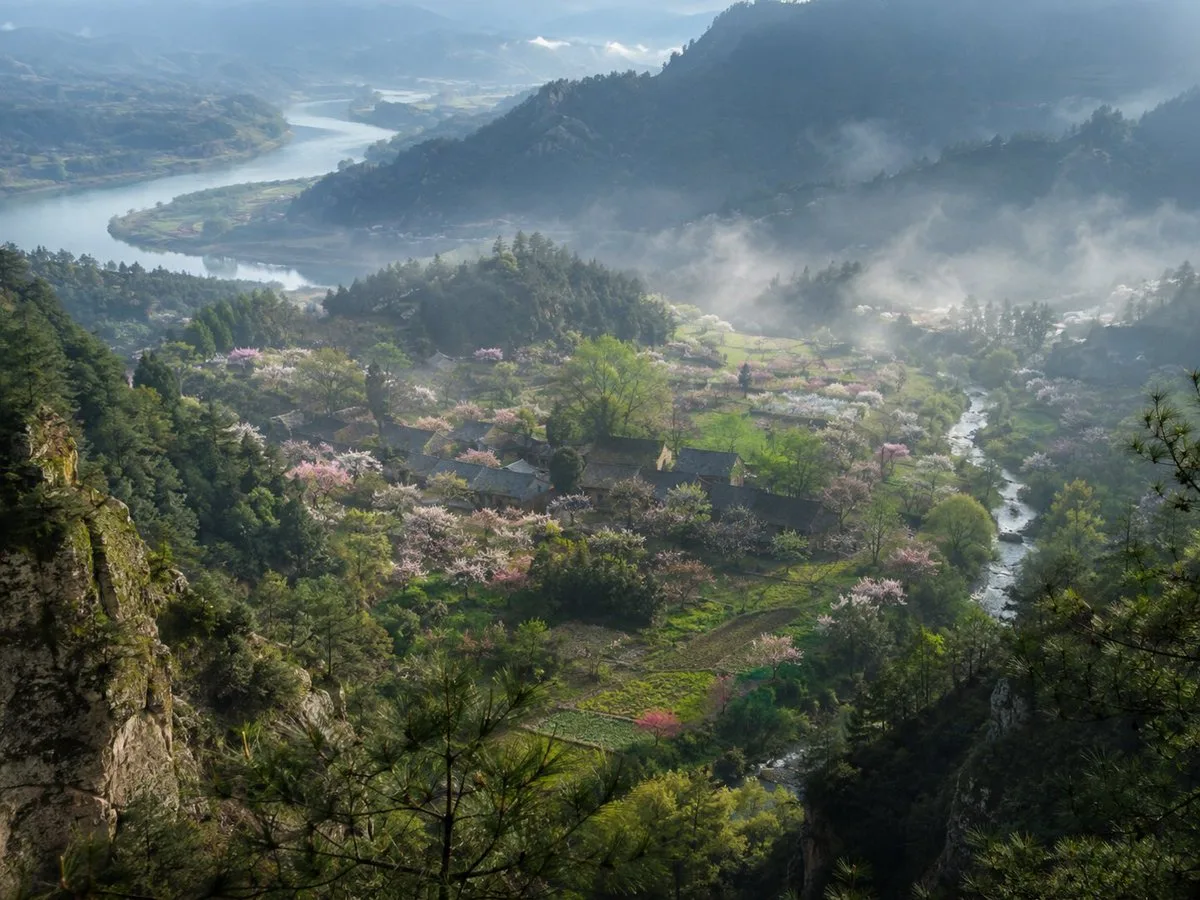
Create a collectible fine-art landscape photograph as if captured by a world-class National Geographic photographer: a high mountain overlook looking down into a secluded Chinese river valley at early morning in spring. The scene shows a misty village nestled among forested hills, with dark tiled-roof houses scattered through bright green fields and orchards full of pale pink and white blossoms. A narrow stream winds through the right side of the valley, while a broad river curves in the far left distance between layered blue mountains. Foreground includes rugged mossy limestone cliffs and dark pine branches framing the view from both sides, creating depth. Count the main visible landscape elements as 1 winding distant river, 1 narrow valley stream, 1 clustered village, many blossoming orchard trees, terraced green fields, layered mountain ridges, and low drifting fog banks. Use soft golden morning light breaking through cool blue haze, volumetric mist, realistic atmospheric perspective, crisp natural detail, deep greens, muted slate-blue mountains, no people, no animals, no modern roads, no power lines, no text. The mood should feel like an ancient Chinese poem discovered as a real place, serene, vast, humid, and sacred. Shot on a medium-format camera with a wide-angle lens, high dynamic range, natural color grading, ultra-realistic documentary photography. Optional source inspiration: {argument name="source material" default="an ancient Chinese description of a hidden peach-blossom valley in the mountains"}; season: {argument name="season" default="early spring"}; time of day: {argument name="time of day" default="misty sunrise"}; location style: {argument name="location style" default="remote Chinese mountain village"}; mood: {argument name="mood" default="serene and timeless"}.
Hanfu Pipa Garden Portrait
GPT Image 2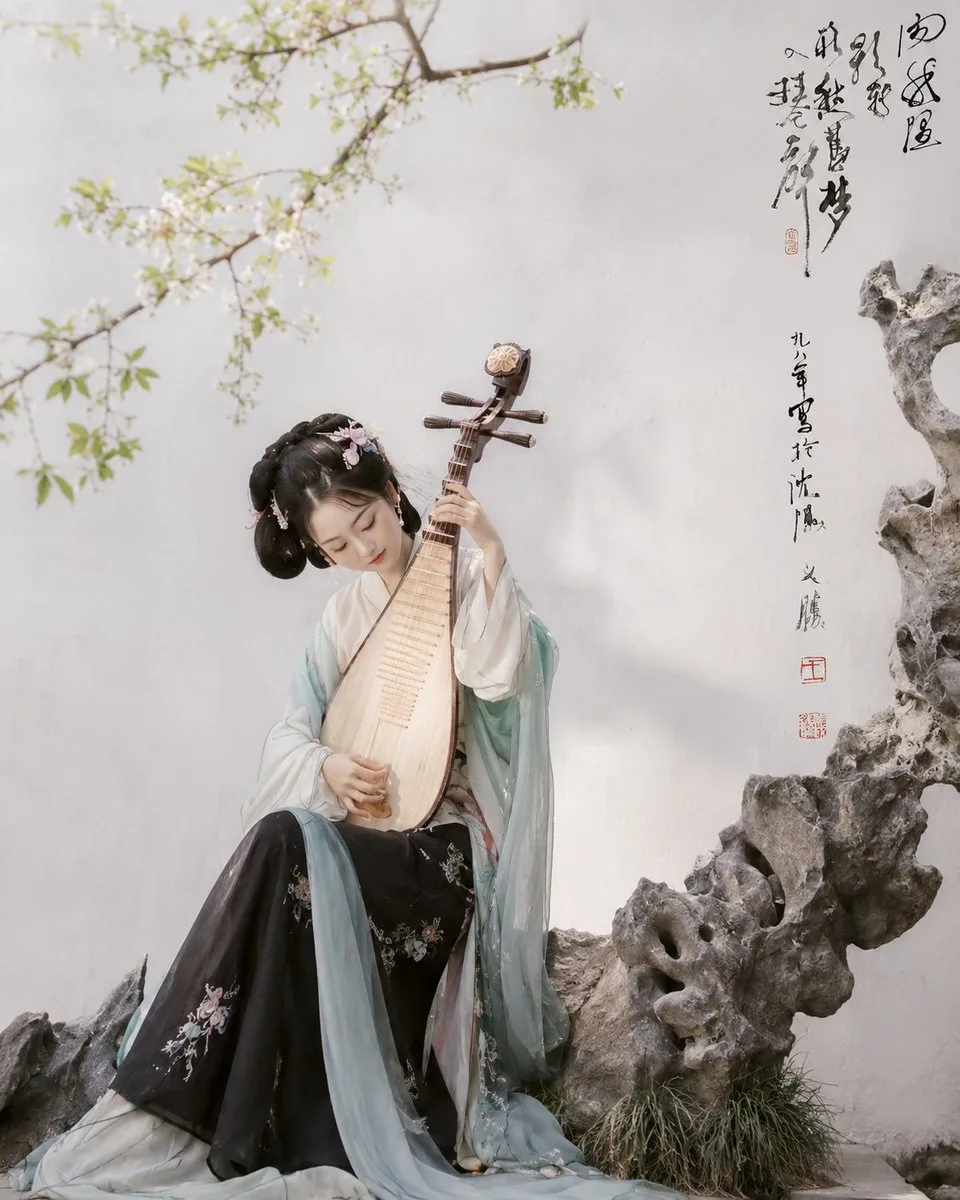
Create a collectible fine-art realistic photograph inspired by classical Chinese garden aesthetics: a young Hanfu musician seated in a quiet scholar garden, holding a pear-shaped pipa vertically in front of her body as if mid-performance. She wears layered traditional robes with a white inner garment, pale aqua translucent shawl sleeves, and a black embroidered skirt with small floral patterns; her hair is styled in an ornate classical updo with delicate pink-and-white flower hairpins. Her face is softly obscured with a natural beige blur, keeping the focus on posture, costume, and instrument. The setting is a minimalist white plaster garden wall with a flowering tree branch entering from the upper left, covered in tiny white blossoms and fresh green leaves, and a large grey Taihu scholar rock formation on the right and lower foreground with sparse ornamental grass at its base. Add vertical black Chinese brush calligraphy on the upper right wall, with two small red seal stamps beneath it, reading like an elegant inscription rather than a modern caption. Use soft diffused daylight, muted pastel tones, shallow depth of field, delicate shadows, and museum-quality editorial photography composition. The pipa should have visible frets, wooden tuning pegs, pale polished wood grain, and be centered over the figure’s torso. Overall mood: serene, poetic, refined, timeless, as if photographed by a top-tier art photographer in a real classical garden. Customize the subject as {argument name="character name" default="an anonymous Hanfu pipa musician"}, the costume palette as {argument name="costume palette" default="white, pale aqua, and black floral embroidery"}, the instrument as {argument name="instrument" default="Chinese pipa"}, the wall inscription as {argument name="calligraphy text" default="vertical classical Chinese brush calligraphy with red seals"}, and the setting as {argument name="garden setting" default="white wall, blossoming branch, and Taihu scholar rocks"}.
Horned Five-Tailed Leopard Beast
GPT Image 2
Create a museum-quality wildlife photograph of a mythical creature from ancient Chinese bestiary lore: {argument name="creature description" default="a red leopard-like beast with one horn and five tails"}. The scene is a realistic high-altitude rocky mountain slope covered with dark gray fractured stone and scattered translucent blue-green crystal boulders. Place exactly one creature standing on a foreground ledge, facing slightly left toward the camera, body like a muscular spotted leopard with warm russet-brown fur, black rosettes, pale underbelly, powerful paws, and a single straight horn rising from the center of its forehead. Show exactly five long spotted tails fanning upward and backward behind it, each with a pale white tufted tip. The animal is snarling with its mouth open, teeth and tongue visible, ears alert, eyes intense, as if defending its territory. Use dramatic natural backlight from the upper left, cool misty mountain air, shallow atmospheric haze, rugged crystal-studded cliffs receding into the background, and highly detailed fur, stone, and mineral textures. Style it as a real photograph captured by a top National Geographic wildlife photographer using a telephoto lens, cinematic realism, crisp subject detail, natural color grading, no painterly effect, no illustration, no text, no humans, no watermark. Aspect ratio 4:3.
Horned Seven-Tailed Mountain Beast
GPT Image 2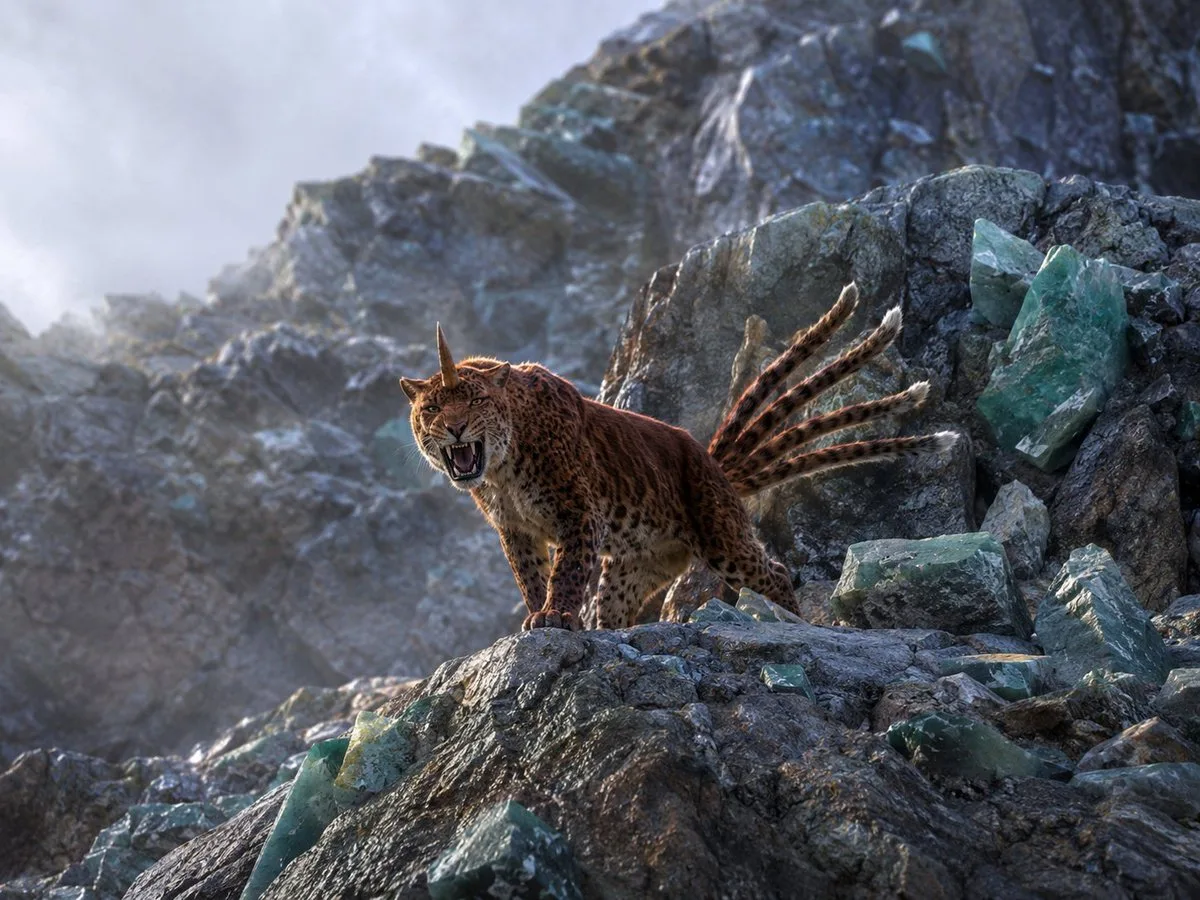
Create a photorealistic, collectible wildlife photograph of a mythical mountain beast inspired by ancient Chinese strange-creature lore: a leopard-like big cat with a tawny spotted coat, muscular body, open roaring mouth, one straight horn rising from the center of its forehead, and exactly seven visible long ringed tails fanning backward with pale white tips. Place the creature on a jagged high-altitude rocky ridge, facing slightly left toward the camera, standing alert and aggressive with its front paws on a ledge. Surround it with exactly 12 prominent translucent teal-green crystal pieces: two tall shards embedded in the right cliff wall, one flat block at mid-right, three broken chunks at lower right, three angular chunks along the bottom foreground, one small shard near the animal’s front paws, and two faint shards in the distant background. The environment is a cold, misty mineral mountain with dark gray fractured stone, pale fog drifting through the ravine, and a softly blurred rocky peak behind it. Use dramatic natural backlight from the upper left, rim lighting on fur and tails, detailed whiskers and teeth, realistic animal anatomy, cinematic depth of field, high dynamic range, sharp foreground texture, muted blue-gray atmosphere, no people, no text, no illustration style. Customize the creature as {argument name="mythical creature" default="a horned leopard with seven tails"}, the setting as {argument name="mountain setting" default="a jagged crystal-studded alpine ridge"}, the crystal color as {argument name="crystal color" default="translucent teal-green"}, the mood as {argument name="mood" default="cold misty dawn"}, and the camera style as {argument name="camera style" default="top-tier wildlife photography with cinematic depth of field"}.
Misty Spring Mountain Village
GPT Image 2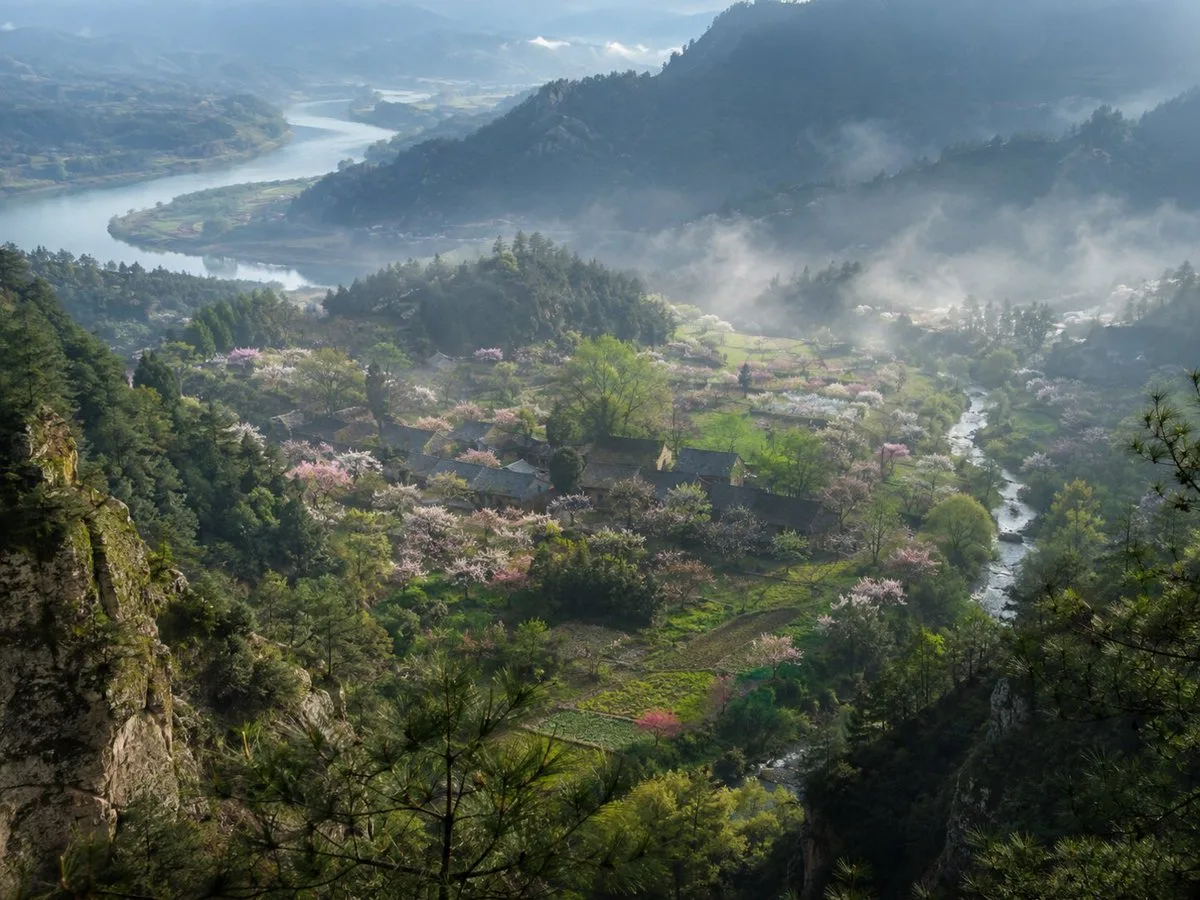
Create a museum-quality realistic landscape photograph inspired by {argument name="source material" default="an ancient Chinese poetic description of a hidden spring mountain village"}. Show a high, elevated viewpoint from a rocky pine-covered cliff looking down into a secluded valley village in {argument name="season" default="early spring"}. The composition features layered blue-green mountains receding into mist, a broad winding river in the far left background, and a smaller clear stream curving through the right side of the valley. In the middle ground, place a small traditional rural Chinese settlement with dark tiled roofs, scattered farm plots, footpaths, and orchards filled with pale pink and white blossoms. Count the visible major landscape elements as exactly 6: one foreground rocky cliff with pine branches, one central village, one blossom-filled orchard belt, one small winding valley stream, one distant broad river, and one layered misty mountain backdrop. Use soft morning light after rain, drifting low fog, luminous haze, wet greenery, and a tranquil atmosphere as if captured by a top National Geographic landscape photographer. The image should feel like a real, collectible fine-art photograph rather than an illustration: natural colors, deep depth, atmospheric perspective, crisp foreground texture, delicate highlights on the blossoms, no people, no animals, no modern buildings, no roads, no power lines, no text or watermark. Use a wide horizontal frame, approximately {argument name="aspect ratio" default="4:3"}, with cinematic realism and subtle Chinese shanshui sensibility.
Hanfu Pipa Garden Portrait
GPT Image 2
Create a collectible fine-art editorial photograph inspired by classical Chinese garden aesthetics: a young Hanfu woman sits in a serene Suzhou-style courtyard, holding a traditional pear-shaped pipa vertically so it partially covers her face. She wears {argument name="robe color" default="pale aqua translucent outer robe"}, a white inner robe, and a black embroidered skirt with delicate floral patterns; her hair is styled in an elegant Tang/Song-inspired updo with small pink flower hairpins. The composition is vertical, calm, and painterly, with the subject placed slightly left of center, seated beside rugged grey Taihu scholar rocks and a tuft of grass at the lower right. A white plaster wall fills the background, with one flowering branch extending diagonally from the upper left across the empty space. Add vertical Chinese calligraphy in black ink on the upper right of the wall, with two small red seal stamps below it, like a signed literati photograph. Use soft natural daylight, muted pastel colors, shallow depth of field, realistic fabric translucency, detailed pipa wood grain and frets, subtle film texture, and the atmosphere of a top-tier museum-quality fashion portrait rather than an illustration. The image contains exactly 5 main visible elements: 1 seated Hanfu musician, 1 pipa, 1 flowering branch, 1 cluster of Taihu rocks, and 1 vertical calligraphy inscription with red seals. Keep the face intentionally softened or obscured by the instrument for privacy and mystery. No modern objects, no watermark, no extra people.