The Short Answer
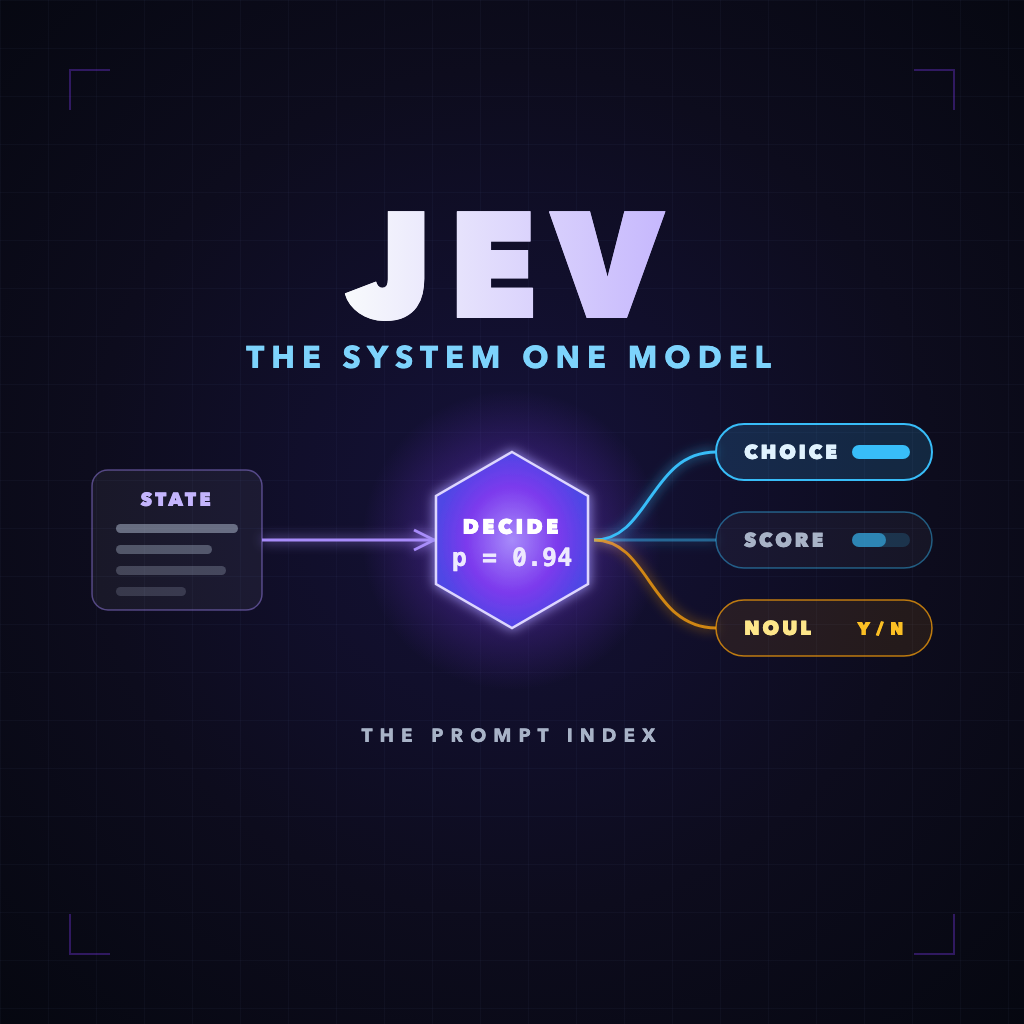
Jev is a “System One” model: a fast decision model, not a text generator. You send it a state (any text or JSON) and one or more predefined questions. It returns a selected option, a score on your scale, or a yes/no probability, each with a probability distribution your code can threshold on. It launched on 15 September 2026, costs $0.042 per million input tokens with no output charge, and is built for the routing, scoring, and approval decisions that agents currently spend full LLM calls on. It is not more accurate than frontier models. It is dramatically cheaper and faster at a narrow job.
On this page
What Is Jev?
Jev is the first model from TypeSafe AI, a San Francisco company founded by Diogo Almeida (CEO), Sasha Sheng (COO), and Erik Gafni (CTO). TypeSafe calls it a System One model, which its documentation defines as a class of models “built to make fast, structured decisions that software can use directly.”
The name borrows from Daniel Kahneman’s two modes of thinking. System Two is slow and deliberate: planning, drafting, debugging, reasoning through a problem step by step. That is what large language models do, one token at a time. System One is the fast, intuitive judgment you make without narrating it: this email is spam, that ticket is urgent, this step is finished. Jev is trained to do only that second kind of work.
That design has a consequence people miss on first read: Jev has no text output at all. It cannot write your briefing, explain its answer, or produce code. Every response is a typed value your program can branch on without parsing prose.
The name itself comes from the economist William Stanley Jevons. His observation, now called the Jevons paradox, was that making steam engines more efficient increased coal consumption, because cheaper energy found new uses. TypeSafe’s bet is that machine judgment follows the same curve: make a decision cost a fraction of a cent and software will start making millions of them.
Who this actually matters to
If you only use AI through a chat window, Jev changes nothing for you today. It matters if you build agents, automations, moderation queues, routers, or evaluation pipelines, because those systems are full of small decisions that are currently paid for at generative-model prices.
How a Jev Call Works
Every request has the same three ingredients and produces the same kind of result.
- State is the evidence: a string, an object, or an array of text. A support ticket, an email, a DOM snapshot, an agent’s progress log.
- Questions are a map of your own IDs to question definitions. Each has a
type,instructions, and usuallycriteriadescribing the options or levels. - Answers come back keyed by the same IDs, each with a value and a probability distribution.
Three behaviours are worth internalising before you design anything:
- Jev never sees your question IDs. The docs are explicit that IDs are for your code and are not sent to the model. Naming a field
safe_to_publishtells Jev nothing. The requirement has to live in the instructions and criteria. - Questions are evaluated in parallel and independently. The state is ingested once and every question is answered against it. One answer is never hidden context for another, and adding or removing a question does not change the other answers.
- You pay for input only. Because there is no generated text, there is no output-token charge, and batching many questions into one call is far cheaper than separate calls. TypeSafe’s own cookbook measures 13 questions in one request as 12.2x cheaper and 10x faster than 13 separate requests, with no change in the answers.
The Three Question Types: Choice, Score, and Noul
| Type | Use it for | You define | You get back |
|---|---|---|---|
| Choice | “Which one?” Routing, categorising, picking the next worker or action. | Up to 255 named options, each with a description. | The selected option, a probability for every option, and a confidence value. |
| Score | “How much?” Relevance, urgency, quality, frustration. | An ordered list of 2 to 10 described levels. | A fractional score (the probability-weighted mean of the levels), a legend, and confidence. |
| Noul | “Yes or no?” Gates, flags, approvals, filters. | One yes/no question, phrased so a high value means yes. | A single probability from 0 to 1. There is no separate confidence field; a value near 0.5 is the uncertainty signal. |
Two subtleties save a lot of debugging. A Score level’s number is not shown to the model, only its description, so write each level so it stands on its own. And a Noul of 0.5 on “Is this candidate strong in Python?” does not mean medium skill. It means the model cannot tell. If you want a middle value, use a Score.
Jev Pricing and Limits
| Spec | Jev 1.13 (jev-1.13.0) |
|---|---|
| Price | $0.042 per million input tokens ($42 per billion). No output-token charge. |
| Context | 64k tokens per request in total; 32k for the state plus the longest single question. |
| Rate limits | 250,000 tokens per second and 1,200 requests per minute, adjusted dynamically. |
| Aliases | jev-latest (the SDK default) and jev-preview, both currently pointing at 1.13.0. |
| Input | Text only. English is primary; other languages are accepted at lower accuracy. |
| Official SDKs | Python (typesafe-sdk, Python 3.10+) and JavaScript/TypeScript (@typesafe-ai/sdk, Node 20+). Anything else uses the HTTP endpoint. |
| Also available via | Vercel AI Gateway, Cloudflare, and a LangChain integration. |
| Access | Early access with a waitlist at launch; keys are issued from the TypeSafe console. |
What that price means in practice: at roughly 1,000 input tokens per decision, 10,000 decisions cost about $0.42. Re-tagging a 5,000-item catalogue at 500 tokens each costs around ten cents. TypeSafe is candid that it cannot yet prove the price is not subsidised, although it says it expects the price to fall rather than rise.
What the Benchmarks Actually Prove
The launch headline is “193.6x faster, 444.6x cheaper.” TypeSafe’s own launch post describes those as the high end of real-world gains, so treat them as best case. The more useful numbers are on its public evals page, which averages four decomposed workflows: security incident triage, agent trace observability, invoice processing, and customer service routing.
| Model (workflow mode) | Accuracy | Cost per case | Time per case |
|---|---|---|---|
| Sol | 74.1% | $0.0836 | 23.3 s |
| Opus 5 | 73.1% | $0.1761 | 37.8 s |
| Terra | 67.9% | $0.0304 | 10.1 s |
| Jev | 67.8% | $0.0004 | 0.4 s |
| Sonnet 5 | 67.8% | $0.1174 | 78.1 s |
Read that table honestly and the story is clear: Jev is mid-pack on accuracy and in a different universe on cost and latency. It ties a mid-tier generative model while costing hundreds of times less. It does not beat the best models, and nobody at TypeSafe claims it does.
Three caveats before you quote these numbers
The “correct” answers are not human labels. TypeSafe states that reference labels are an average of two frontier LLMs’ responses, so “accuracy” here means agreement with those models. The vendor wrote the workflows. And no independent benchmark on human-labelled data exists yet. The only number that matters is the one you measure on your own decisions, which is cheap to do.
One finding on that page is useful whatever model you use: every model scored better when the task was decomposed into a workflow of small questions than when it was handed one big prompt. Opus 5 went from 64.8% with a single prompt to 73.1% in workflow mode. Decomposition is the real lesson; Jev just makes it affordable.
Quickstart: From Playground to Production
1. Try one decision in the Playground
Open the TypeSafe Playground, paste any text as the state, and add a question. Then change the state and watch the probabilities move. This is the fastest way to learn how literally Jev reads your wording.
2. Call the HTTP endpoint
There is one endpoint. Get a key from the console, keep it in an environment variable, and send state, model, and questions.
curl -X POST https://api.typesafe.ai/v1/systemone \
  -H "Authorization: Bearer $TYPESAFE_API_KEY" \
  -H "Content-Type: application/json" \
  -d '{
    "state": "I have been trying to connect my Stripe account for 3 days and it keeps failing. I am losing sales. Please help ASAP.",
    "model": "jev-latest",
    "questions": {
      "department": {
        "type": "choice",
        "instructions": "Which team should handle this",
        "criteria": {
          "billing": "Payment or subscription issues",
          "technical": "Bugs or integration problems",
          "sales": "Pricing or account questions"
        }
      },
      "frustration": {
        "type": "score",
        "instructions": "How frustrated the customer appears",
        "criteria": [
          "Calm, just stating facts",
          "Frustrated but civil",
          "Very angry, strong language"
        ]
      },
      "is_urgent": {
        "type": "noul",
        "instructions": "The message conveys urgency or time-sensitivity"
      }
    }
  }'
The response mirrors your IDs. In TypeSafe’s documented sample, department comes back as billing with probabilities of 0.84, 0.159, and 0.001, frustration scores 1.035 on the 0–2 scale, and is_urgent is 0.999. Notice one detail in that sample: the winning option has 0.84 probability, but the reported confidence is 0.596. Confidence is not the top probability. More on that below.
3. Python
from typesafe_sdk import Choice, Noul, TypeSafeAPIError, TypeSafeClient

client = TypeSafeClient()  # reads TYPESAFE_API_KEY, defaults to jev-latest

state = {
    "goal": "Compare three AI-agent tools in a morning briefing.",
    "completed_work": "No sources collected yet.",
}

try:
    response = client.system_one(
        state=state,
        questions={
            "next_worker": Choice(
                instructions="Choose the next step for a research briefing.",
                criteria={
                    "research": "Evidence needed for the goal is still missing.",
                    "write": "Enough evidence exists to draft the briefing.",
                    "review": "Goal unclear, out of scope, or work complete.",
                },
            ),
            "wants_publish": Noul(
                instructions="Does the goal require publishing something publicly?"
            ),
        },
    )
except TypeSafeAPIError as error:
    raise SystemExit(f"TypeSafe API error {error.status}")

step = response.answers["next_worker"]
destination = step.choice if step.confidence >= 0.85 else "review"
print(destination, step.probabilities)
The 0.85 threshold is a starting point, not a recommendation. Tune it against labelled examples from your own workflow.
4. JavaScript / TypeScript
import { TypeSafeClient, choice, noul } from "@typesafe-ai/sdk";

const client = new TypeSafeClient(); // reads TYPESAFE_API_KEY

const response = await client.systemOne({
  state: emailBody,
  questions: {
    action: choice("What should happen to this email next?", {
      reply: "Needs a personal reply from me",
      wait: "Informational, no action needed",
      review: "Unclear, sensitive, or none of the above",
    }),
    is_sales_pitch: noul("Is this an unsolicited sales pitch?"),
  },
});

console.log(response.answers.action.choice);
The helpers take the instructions first and the criteria second, and answer types are inferred from your questions. Both SDKs are moving quickly (the Python SDK went from 0.5 to 0.7 in its first week), so check the reference for your version.
5. PHP, or any language without an SDK
There is no PHP SDK, and you do not need one. This is the pattern we would use on a PHP stack like the one behind this site: a small function around cURL that fails closed.
function jev_decide(string|array $state, array $questions): ?array
{
    $ch = curl_init('https://api.typesafe.ai/v1/systemone');
    curl_setopt_array($ch, [
        CURLOPT_POST           => true,
        CURLOPT_RETURNTRANSFER => true,
        CURLOPT_TIMEOUT        => 5,
        CURLOPT_HTTPHEADER     => [
            'Authorization: Bearer ' . getenv('TYPESAFE_API_KEY'),
            'Content-Type: application/json',
        ],
        CURLOPT_POSTFIELDS     => json_encode([
            'state'     => $state,
            'model'     => 'jev-1.13.0',   // pin a version in production
            'questions' => $questions,
        ]),
    ]);
    $body = curl_exec($ch);
    $code = curl_getinfo($ch, CURLINFO_HTTP_CODE);
    curl_close($ch);

    if ($body === false || $code !== 200) {
        return null;                        // caller treats null as "hold for review"
    }
    return json_decode($body, true)['answers'] ?? null;
}

$answers = jev_decide($submissionText, [
    'is_spam' => [
        'type'         => 'noul',
        'instructions' => 'Is this submission spam or an advertisement?',
    ],
]);

$autoApprove = $answers !== null && $answers['is_spam']['noul'] < 0.10;
Two production habits are baked into that snippet. Pin the model version rather than using jev-latest, so a model update cannot silently shift your thresholds. And treat an API failure as “hold for review”, never as approval. The API returns 401 for a bad key, 422 for a malformed request, 429 for rate limiting, and 529 when overloaded; back off and retry on the last two.
6. Let your coding agent do the integration
TypeSafe publishes an official agent skill, which is a clean real-world example of the pattern we cover in How to Use AI Agent Skills. In Claude Code, install it as a plugin; in other agents, use the skills CLI. Pick one method, not both.
# Claude Code
claude plugin marketplace add typesafe-ai/skills
claude plugin install typesafe@typesafe-ai

# Other agents
npx skills add typesafe-ai/skills --skill typesafe-ai
The skill teaches your agent how to integrate Jev; Jev itself still runs through the API.
Confidence Is Not the Probability, and Not a Guarantee
Every Choice and Score answer carries a confidence between 0 and 1. TypeSafe defines it as a statistic computed from the shape of the probability distribution: concentrated on one outcome means confident, spread out means unsure. That is why the documented sample above shows a 0.84 winner with 0.596 confidence.
TypeSafe suggests three behaviours rather than one threshold:
- High confidence: act. Proceed without a human.
- Medium confidence: verify. Ask the user to confirm, flag for review, or gather more evidence.
- Low confidence: do not act. Route to a human or fall back to another system.
Its own example uses 0.5 as the floor and 0.9 for a destructive action, and then makes the important point: thresholds scale with risk. Showing the wrong screen is recoverable; approving the wrong transfer is not. Gate each action by the cost of being wrong, and remember the docs’ own warning that higher confidence “does not establish which answer is correct.” Calibration describes batches of predictions, not the single answer in front of you.
Real Examples From Launch Week, With Caveats
Almost every number below is self-reported by the builder within days of launch. They are useful as patterns, not as audited results.
1. Browser control: Browser Use
Browser Use published jev-ultrafast, an agent where Jev picks the next action and target element from a fresh list of observed page controls, while a small LLM is called only when text has to be typed. Its widely shared demo found Zurich-to-London flights on Google Flights in 7.1 seconds, with a reported cost of $0.0039. Caveats: it searches, it does not book; the repository itself says it is three repeats of one task, not a reliability benchmark; and its 25% speed-up over the previous version came from plumbing, such as cutting median browser protocol calls from 1,092 to 101, with identical models on both sides. The lesson is to profile your tool calls before blaming your model. If browser agents are your interest, our Browser & Computer-Use Agents course covers the wider pattern.
2. Classifying 1,018 research papers
Hassan El Mghari classified 1,018 AI papers into 24 topics for about $0.08 of Jev usage at a 256 ms median per paper. Caveat: Jev classified a title plus an LLM-written summary, and generating those summaries cost roughly $3.99 on a separate model. The honest total is about $4.07, and no accuracy figure was published. The pattern still holds: generate once with an LLM, then decide many times with Jev.
3. Inbox triage
Several builders pointed Jev at their email. The best documented run, cited in LangChain’s write-up, processed 1,500 personal emails at roughly 200 ms each. To repeat it, pass each email as state and define options such as reply, wait, delegate, and review, plus a Noul or two for flags like “contains a deadline.”
4. Model routing and tool-call review: LangChain
LangChain’s guide uses Jev for two jobs: choosing the least costly model that can complete a task, and an “auto mode” that reviews each tool call before it executes. The second is the more interesting idea. A sub-second allow / ask / block decision in front of every tool call is a guardrail that was previously too slow and expensive to run everywhere.
5. Adoption signal: Vercel
Vercel reported that Jev was being used by nearly 13% of paid AI Gateway teams within 24 hours of listing, calling it the fastest-adopted model in the gateway’s history. Separately, Vercel’s CEO posted that Jev was up to 18x faster at p95 than the small GPT model previously used for a safety-review step. That second figure comes from a social post without published methodology, so file it under “promising anecdote.”
The Real Opportunity: Run a Decision Audit
The flight demo is fun, but the practical value is more boring and much bigger: most agent stacks are paying generative prices for calls that never needed generation. Every “is this done?”, “which tool next?”, and “is this safe?” that goes to a frontier model costs seconds and cents to produce a one-word answer.
To find them, list every model call in your system and sort each into one of three piles:
| Pile | Test | Belongs to |
|---|---|---|
| Generate | The output is new text, code, a plan, or an explanation. | An LLM. Keep it. |
| Decide | The output is one of a known set of options, a level, or a yes/no, and it needs judgment. | A System One model such as Jev. |
| Compute | The answer is exact: a count, a date comparison, a budget check, “stop after ten actions.” | Plain code. No model at all. |
Then write each item in the Decide pile as a small card. It is the decision-sized cousin of the objective, metric, boundary card from our AI loop engineering guide:
DECISION        <One sentence: what is being decided, and how often?>

STATE           <Only the fields this decision needs. Nothing else.>

QUESTION        Type: <Choice | Score | Noul>
                Instructions: <The exact condition, written literally.>
                Criteria: <Each option or level described so it stands alone.
                          Include "other / unclear" when the list may not fit.>

THRESHOLDS      Act automatically when: <confidence or probability rule>
                Verify first when:      <middle band>
                Send to a human when:   <low band, API failure, or "other">

COST OF WRONG   <What happens if this is wrong? Sets how strict the bands are.>

TEST SET        <20-50 real past cases with the answer you wanted.>
Eight decisions worth auditing first
These go beyond the launch-week demos. They are the ones we would reach for on a site that runs many AI tools and a public submissions queue.
| Decision | Question design | Why it fits |
|---|---|---|
| Should an agent loop continue? | Choice: continue / done / stuck_repeating / needs_user. Budget checks stay in code. |
It runs every iteration, so latency and cost compound. Pair it with an independent completion check. |
| Cheapest capable model | Choice over your model tiers, each described with what it handles and what it is not for; Noul for “needs long-form output.” | You own the routing policy instead of trusting a black-box router. Fall back to the larger model on low confidence. |
| Moderating user submissions | Nouls for spam, personal data, and “is this actually a prompt?”; Choice for category; Score for quality. | One call answers everything. Auto-approve only when every risk flag is low; hold the rest. |
| RAG retrieval gating | Per-passage Noul: “Does this passage answer the question?” After generation: “Is the answer supported by the passages?” | Filters distractors before the expensive call and catches unsupported answers after it. |
| Pre-screening before a costly critic | Nouls: follows the format, on topic, contains refusal boilerplate, ends mid-sentence. | In a builder-versus-critic loop, only borderline work needs the frontier-model critic. |
| Tool-call safety review | Nouls: destructive, touches payment or user data. Choice: allow / ask_user / block. |
Fast enough to sit in front of every call rather than a sample. |
| Support and lead triage | Choice for queue; Score for urgency with concretely described levels; Noul for “mentions cancellation or chargeback.” | The classic fit, and the one TypeSafe’s own quickstart uses. |
| Long-generation checkpoints | Per-chapter Nouls: contradicts the outline, character name drift, ends mid-sentence. | Decide regenerate-or-continue before spending more generation budget on a flawed draft. |
The first and fifth rows connect directly to loop design. A Gauntlet-style loop burns most of its budget on critics; a cheap pre-screen and a cheap continue/stop judge leave the expensive critic for the calls where its judgment is actually needed. Our Reliable AI Agents course goes deeper on stop rules and verification.
Seven Design Rules That Decide Whether Jev Works
1. Write the question you mean, literally
TypeSafe’s own limitations page says Jev “answers the question you wrote, not the one you meant.” When you catch yourself explaining what you really meant after a wrong answer, that explanation is the missing half of the instruction. Criteria are prompts. If yours are vague, tightening them in the Prompt Optimizer first is time well spent.
2. Always give it a way out
Jev must pick from your list. It cannot abstain unless you add an other, unclear, or none of the above option. Route that option to review.
3. Rebuild the menu every turn
This is Browser Use’s best idea. A browser’s available actions change after every click, so the agent rebuilds the option list from what is on the page now. Apply that everywhere: build choices from the workers, tools, and sources that exist at this moment. Otherwise your decision model is ordering from yesterday’s menu.
4. Send evidence, not status
“The researcher finished” tells Jev far less than the sources found, the findings, and the remaining gaps. But send only what the decision needs: accuracy falls as irrelevant state grows.
5. Keep arithmetic, counting, and dates in code
Jev does not count reliably, cannot judge numeric closeness, and reads dates as text. Compute the number in code and pass a named bucket such as budget: mostly_spent.
6. Batch questions that share a state
Worker, urgency, and approval can all be asked in one call. You can even ask speculative questions for branches you might not take and ignore the irrelevant answers. The one limit: a question cannot read another question’s answer, so anything that depends on a fresh tool result needs a second call.
7. Verify outcomes independently
A confident answer cannot prove that a file was saved or an email was sent. Browser Use checks the result separately after Jev selects DONE. Borrow that separation: the decider decides, code confirms.
Limitations and Criticism
TypeSafe deserves credit for publishing a frank limitations page. Combined with the launch-week discussion on Hacker News, the honest list looks like this:
- It can be confidently wrong. “Zero hallucinations” really means zero malformed outputs. A valid, typed answer can still be the wrong answer.
- No explanations. There is no rationale to log, which is a real gap for audits and regulated decisions.
- Prompt injection is a live risk. TypeSafe states that adversarial content in the state can move the answer. Treat user-submitted text as hostile.
- Wording sensitivity. Accuracy is tightly coupled to how you phrase instructions and criteria.
- Weak with numbers. Counting, numeric closeness, date ordering, and score interpolation are all documented weak spots.
- Logical consistency is not guaranteed. Do not assume the probability of X and of “not X” sum to one. Ask each decision one way.
- The architecture is undisclosed. No paper, no open weights, no self-hosting, and no documented fine-tuning.
- Evidence is early and vendor-led. There is no independent benchmark on human-labelled data, and pricing sustainability is unproven.
When not to use Jev
Skip it when the output has to be text, when the decision needs multi-step reasoning or arithmetic, when you must show why a decision was made, when a wrong answer is irreversible and no human gate exists, or when the rule is exact enough to be an if statement. And on privacy: TypeSafe’s policy says it does not train on your inputs, but it publishes no specific retention period, so check the current terms before sending sensitive data.
Jev vs the Alternatives
Jev is not a new capability. Classifiers have existed for decades. It is a new packaging: zero-shot, hosted, very cheap, with probabilities and a clean API. The honest competitor is a small LLM in JSON mode.
| Approach | Strength | Weakness against Jev | Choose it when |
|---|---|---|---|
| Small LLM + structured output | Flexible; can also explain itself. | Pays for output tokens and sequential decoding; several questions in one prompt influence each other; no calibrated distribution. | You need a rationale, or the decision needs some reasoning. |
| Embeddings + simple classifier | Nearly free, runs locally. | Needs labelled examples and retraining when categories change; poor at nuanced written criteria. | Stable categories, plenty of labels, strict privacy. |
| Fine-tuned BERT-style model | Best accuracy per dollar on a fixed task; self-hosted. | Slow to a first version; brittle when the taxonomy moves. | High volume, thousands of labels, a task that will not change. |
| Hosted model routers | No setup at all. | A fixed policy you cannot inspect or tune. | You want routing without owning the evaluation. |
| Guard and moderation models | Purpose-built, often free. | Fixed hazard taxonomies. | Standard safety categories are all you need. |
You do not have to take anyone’s word for the comparison. TypeSafe publishes an open-source system-one-adapter that runs the same questions against ordinary LLM APIs, so you can A/B Jev against the model you already pay for on your own test set.
Jev Adoption Checklist
- List every model call in your system and sort it into generate, decide, or compute.
- Pick one high-volume, low-risk decision to start with.
- Collect 20 to 50 real past cases with the answer you wanted.
- Write literal instructions and stand-alone criteria, with an
otheroption. - Send only the state the decision needs.
- Run the test set, read the wrong answers, and fix the wording before touching thresholds.
- Set act, verify, and human bands according to the cost of being wrong.
- Pin the model version and fail closed on API errors.
- Log the full probability distribution and model version, so you can re-threshold later without re-running.
- Measure cost per completed task, not per call. A cheap decision that sends a worker down the wrong branch is not cheap.
Sources Used
Technical facts were checked against TypeSafe’s own documentation on 19 September 2026. Third-party results are self-reported by their authors and are labelled as such above.
- TypeSafe AI — Introducing System One Models & Jev
- TypeSafe Docs — System One concepts
- TypeSafe Docs — Quickstart
- TypeSafe Docs — Models, pricing, and limits
- TypeSafe Docs — Confidence
- TypeSafe Docs — Jev 1.13 jaggedness (limitations)
- TypeSafe — public workflow evals
- TypeSafe — official agent skill
- Browser Use — jev-ultrafast repository
- LangChain — Building a harness with Jev
- Vercel — Jev on AI Gateway
- Hassan El Mghari — 1kpapers repository
- Hacker News — launch discussion
- The Register — TypeSafe AI launch coverage
Frequently Asked Questions
What is Jev AI?
Jev is a System One model from TypeSafe AI, launched on 15 September 2026. Instead of generating text, it takes a state and a set of predefined questions and returns typed answers, a selected option, a score, or a yes/no probability, each with a probability distribution that software can act on directly.
What is a System One model?
A System One model is built to make fast, structured decisions rather than to reason or write. The name comes from Daniel Kahneman’s distinction between fast, intuitive System 1 thinking and slow, deliberate System 2 reasoning. Large language models do the System 2 work; a System One model handles the routing, scoring, and approval decisions in between.
How much does Jev cost?
Jev 1.13 costs $0.042 per million input tokens, which is $42 per billion, with no charge for output tokens. At around 1,000 input tokens per decision, 10,000 decisions cost roughly $0.42. Rate limits are 250,000 tokens per second and 1,200 requests per minute.
What are Choice, Score, and Noul?
They are Jev’s three question types. Choice selects one of up to 255 described options and returns probabilities and a confidence value. Score rates the state against 2 to 10 described levels and returns a fractional score. Noul answers a yes/no question with a single probability from 0 to 1, where a value near 0.5 signals uncertainty.
Can Jev replace ChatGPT or Claude?
No. Jev cannot generate text, write code, or explain its reasoning. It complements generative models by taking over the small decisions around them, such as which worker runs next, whether a draft is ready, or whether a tool call is safe, so the expensive model is reserved for work that actually needs generation.
Is Jev more accurate than a frontier LLM?
Not on TypeSafe’s own evals. Jev averaged 67.8% across four workflows, compared with 73 to 74% for the strongest frontier models, while costing about $0.0004 per case and answering in 0.4 seconds. Those reference answers were produced by frontier LLMs rather than human labellers, so you should measure accuracy on your own data.
Does Jev hallucinate?
Jev cannot produce malformed or invented text because it only returns values from the options you define. It can still choose the wrong option with high confidence. Always include an “other or unclear” option, gate actions by confidence, and verify outcomes independently.
How do I get access to Jev?
TypeSafe opened early access at launch and is admitting developers from a waitlist. Once approved, you create an API key in the TypeSafe console and can test in the Playground. Jev is also available through Vercel AI Gateway and Cloudflare.
