Monochrome Woodblock Character Postcard
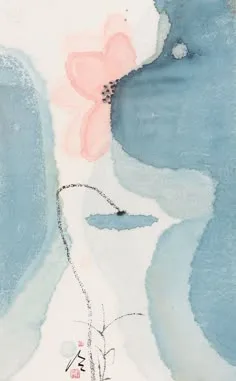
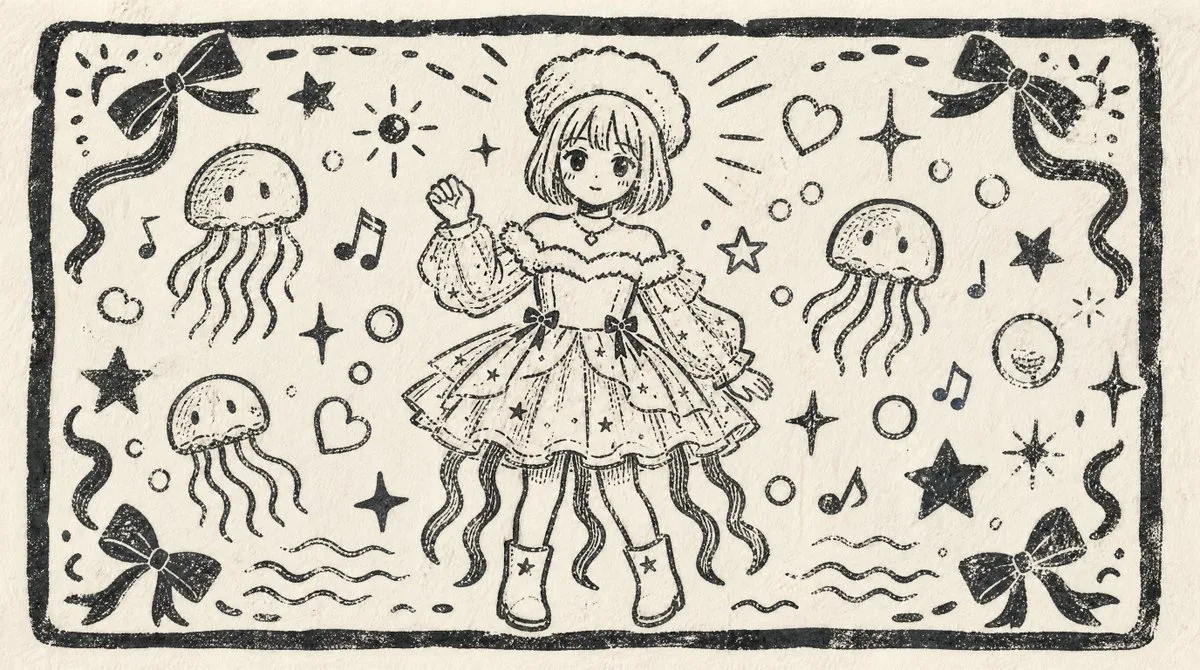
The PromptUsing the provided reference image as the character base, transform it into a nostalgic monochrome Japanese woodblock-print illustration on textured cream paper. Change the composition from vertical portrait to a wide horizontal postcard layout, keeping the same cute sea-themed girl and outfit concept but redrawing her smaller in the center, facing forward, with one hand raised in a friendly wave. Convert the blue-and-cream print into black ink linework only, with rough carved edges, uneven stamped texture, visible paper grain, and hand-printed imperfections.
Layout: Add a thick hand-carved rectangular border around the entire image. Fill the surrounding space with playful decorative motifs while keeping the center character readable.
Added motifs: Include exactly 3 jellyfish around the character, 4 ribbon bows placed near the four corners, 5 musical notes, 2 hearts, multiple bubbles, wavy water lines near the bottom, and scattered stars/sparkles in a cute handmade style.
Style: Make it look like an old children’s picture-book woodcut or linocut print, simple black ink on off-white paper, charming, slightly rough, nostalgic, with no color fills other than black ink. Avoid realistic shading, gradients, or modern digital polish.
Optional customization: Use {argument name="ink color" default="black"} ink on {argument name="paper color" default="cream"} paper, with the character in a {argument name="pose" default="one-hand waving pose"} and a {argument name="print style" default="nostalgic Japanese woodblock print"} finish.